
iPhone Screenshots


Description
RETRO GRAPHICS CONVERTER
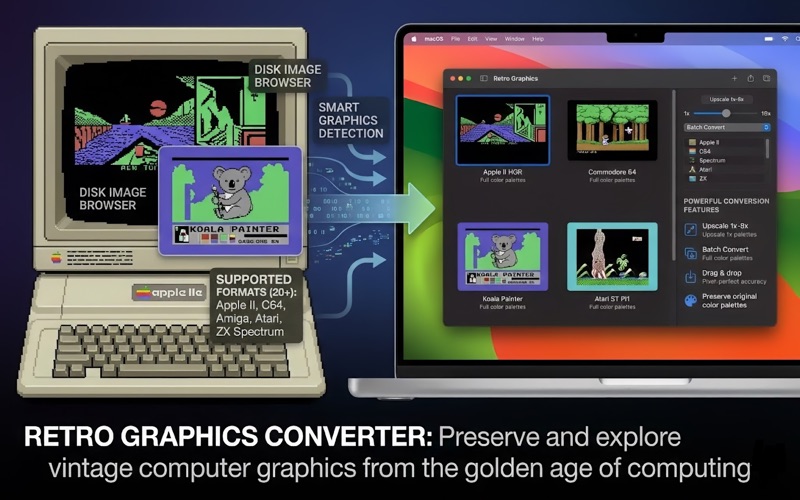
Preserve and explore vintage computer graphics from the golden age of computing. Retro Graphics Converter is a professional macOS application designed to convert, view, and manage graphics files from classic computers including Apple II, Apple IIgs, Commodore 64, Amiga, Atari ST, ZX Spectrum, and many more.
DISK IMAGE BROWSER
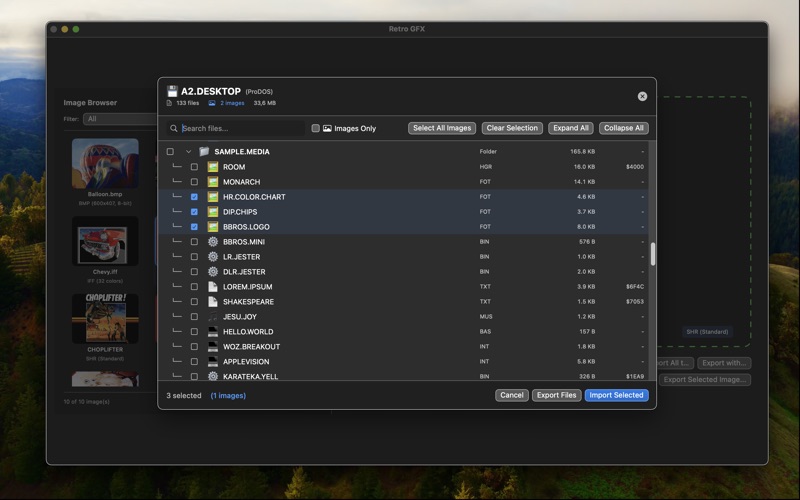
- Browse Apple II disk images (2IMG, DSK, HDV, PO formats)
- Navigate ProDOS and DOS 3.3 file systems
- Expand/collapse folder hierarchies
- Search and filter by file type
- Preview graphics before converting
- Select multiple files with checkboxes
- Batch export to your Downloads folder
- Recognizes 200+ official ProDOS file types
SMART GRAPHICS DETECTION
- Automatically identifies HGR, DHGR, and SHR formats
- Detects graphics by file size and structure
- Supports both standard and non-standard layouts
- Works with files extracted from disk images or standalone files
SUPPORTED FORMATS (20+)
Apple II / IIgs:
- HGR (Hi-Res Graphics) - 280×192, 6 colors
- DHGR (Double Hi-Res) - 560×192, 16 colors
- SHR (Super Hi-Res) - 320×200, 256 colors
- SHR 3200 Color Mode - 320×200, 3200 colors
Commodore 64:
- Koala Painter - 320×200, 16 colors
- Art Studio - 320×200, 16 colors
- Advanced Art Studio - 320×200, 16 colors
Other Classic Systems:
- Amiga IFF - Up to 4096 colors
- Atari ST Degas (.PI1, .PI2, .PI3)
- ZX Spectrum (.SCR) - 256×192, 15 colors
- Amstrad CPC (Mode 0, 1, 2)
- PCX (PC Paintbrush)
- MacPaint - 576×720, 1-bit
POWERFUL CONVERSION FEATURES
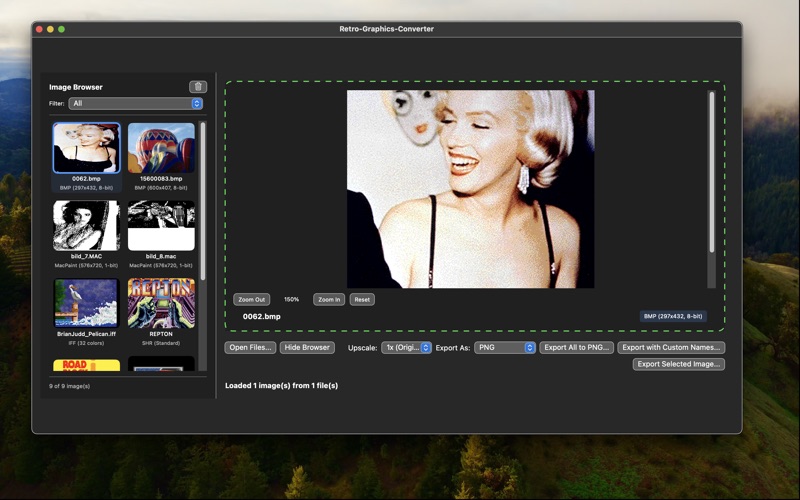
- Export to PNG, JPEG, TIFF, GIF, or HEIC
- Upscale images from 1x to 8x for high-quality results
- Batch convert entire folders at once
- Drag & drop support for files and folders
- Preserve original color palettes with pixel-perfect accuracy
- Fast processing of hundreds of files
PROFESSIONAL FILE MANAGEMENT
- Intuitive file browser with thumbnail previews
- Filter by format type (All, HGR, DHGR, SHR, C64, etc.)
- Zoom controls for detailed viewing
- Export individual files or entire collections
- Automatic file type detection
- Support for custom export naming
PERFECT FOR
- Retro gaming enthusiasts exploring classic game art
- Digital archivists preserving vintage computer graphics
- Collectors managing Apple II disk image libraries
- Developers working with retro game assets
- Artists studying pixel art from computing history
- Educators teaching computer graphics evolution
WHY RETRO GRAPHICS CONVERTER?
Built by a vintage computing enthusiast for the retro community, this app combines deep technical knowledge of classic file formats with modern macOS design. Whether you're exploring your old disk collection or discovering vintage computer art, Retro Graphics Converter makes it easy to preserve and share these important pieces of computing history.
SYSTEM REQUIREMENTS
- macOS 15.6 or later
- Apple Silicon or Intel Mac
- 4GB RAM minimum (8GB recommended)
- 100MB free disk space
Download now and bring your vintage computer graphics into the modern era!