
iPhone Screenshots

Description
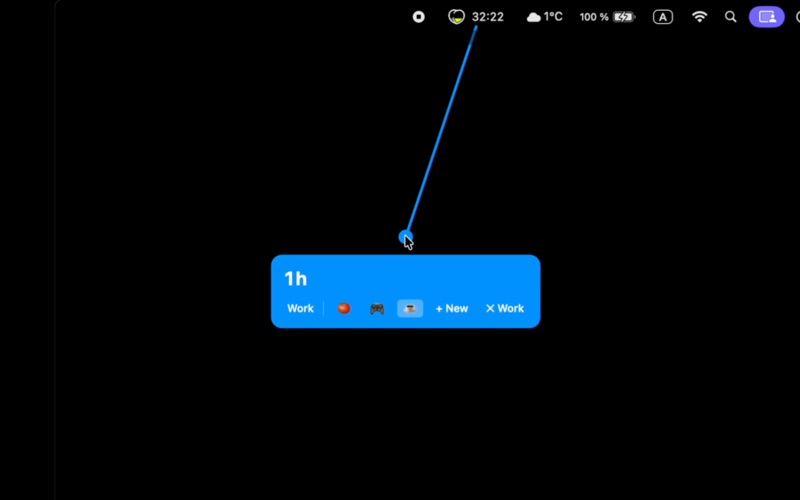
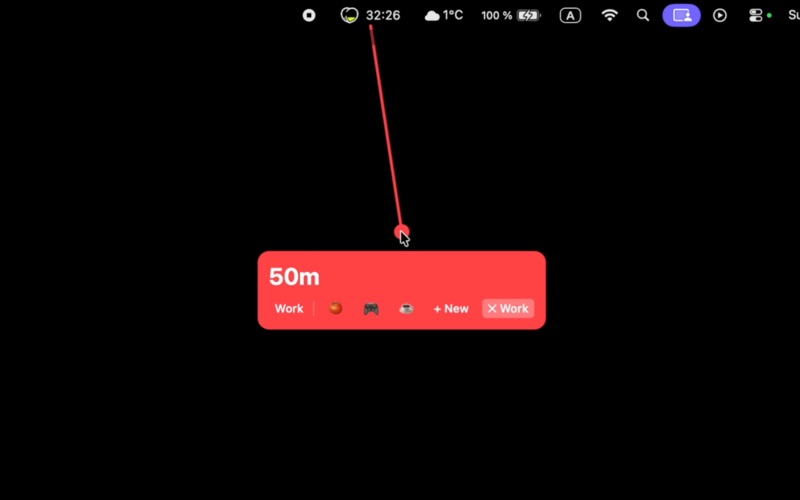
Create timers instantly with a simple drag gesture.
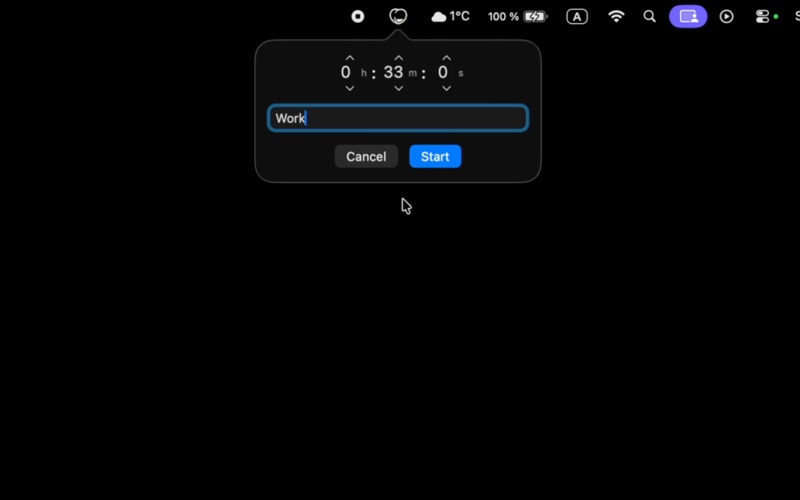
Peachy Timer lives in your menu bar and lets you set timers faster than ever before. Just drag down from the peach icon — the further you drag, the longer your timer. No clicks, no typing, no interruptions.
INTUITIVE GESTURE CONTROL
• Drag down to set timer duration
• Move left or right to select presets
• Release to start — it's that simple
ALWAYS ACCESSIBLE
• Lives quietly in your menu bar
• See timer progress at a glance in the icon
• Never lose track of your timers
MULTIPLE TIMERS
• Run several timers simultaneously
• Perfect for cooking, workouts, or productivity
• Each timer shows remaining time clearly
QUICK PRESETS
• Access them with a simple swipe
• Customize presets with emoji labels
BEAUTIFUL & CUSTOMIZABLE
• Choose from a variety of peach colors
• Adjust drag sensitivity to your preference
• Clean, modern design
SMART NOTIFICATIONS
• Get notified when timers complete
• Sound and visual alerts
• Never miss an important moment
FREE & PRO
• Free: One active timer with basic features
• Pro: Unlimited timers, presets, and full customization
Perfect for:
• Brewing the perfect cup of coffee or tea
• Timing your cooking and baking
• Workout intervals and rest periods
• Pomodoro technique and focus sessions
• Quick reminders throughout your day
Download Peachy Timer and experience the fastest way to set a timer.
PRIVACY & SUPPORT
Privacy Policy: https://peachytimer.com/privacy
Terms of Use: https://peachytimer.com/terms
Support: [email protected]