
iPhone Screenshots


Description
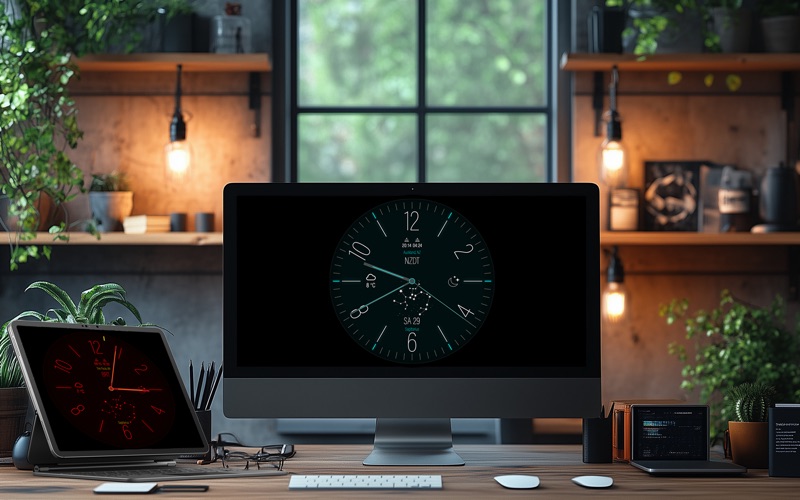
Vintage Clock Studio brings a carefully crafted analog watchface and modern flip clock to your Mac – perfect for studios, desks, and multi-display setups.
Use it as a fullscreen clock, a focused time display while you work, or a beautiful ambient clock on an external monitor.
Two clock styles, one refined app
• Vintage-inspired analog watchface with smooth hand animation
• Modern flip clock with bold, legible digits
• Light and dark appearances tuned for macOS
• Works in windowed mode or fullscreen
Designed for real workspaces
• Great for creative studios, edit suites, offices, and home setups
• Ideal as a clean time display on a second or third screen
• Scales nicely from MacBook to large external monitors
• Minimal UI: clock in the center, controls where you expect them
Customizable experience
• Choose between analog and flip clock styles
• Adjust visual details and appearance to fit your environment
• Tweak settings via a dedicated configuration window
• Save your preferred look for focused, distraction-free use
Fullscreen preview of the clock experience
Switch into fullscreen mode to turn your Mac into a dedicated display clock. The app is built to feel close to a classic studio wall clock or high-end desk clock – only fully digital and easy to customize.
Extra downloadable content
Vintage Clock Studio also connects you to additional downloadable content available on the developer’s website – including optional companion downloads that extend the visual experience beyond the app itself.
Whether you use it in the studio, in your office, or on a side-screen while you work, Vintage Clock Studio turns your Mac into a beautiful, focused clock display you’ll actually want to look at.