
iPhone Screenshots



Description
See your time in perspective.
ProgressBar lives quietly in your Mac's menu bar, showing you exactly how much of your day, week, month, or year has passed. Whether you're tracking your workday, counting down to a deadline, or simply staying mindful of time, ProgressBar keeps you informed at a glance.
Features:
FOUR BUILT-IN TIME TRACKERS
Day — Track your active hours or full 24-hour day
Week — Watch the week unfold
Month — Monitor monthly progress
Year — See the year in perspective
BEAUTIFUL MENU BAR DISPLAY
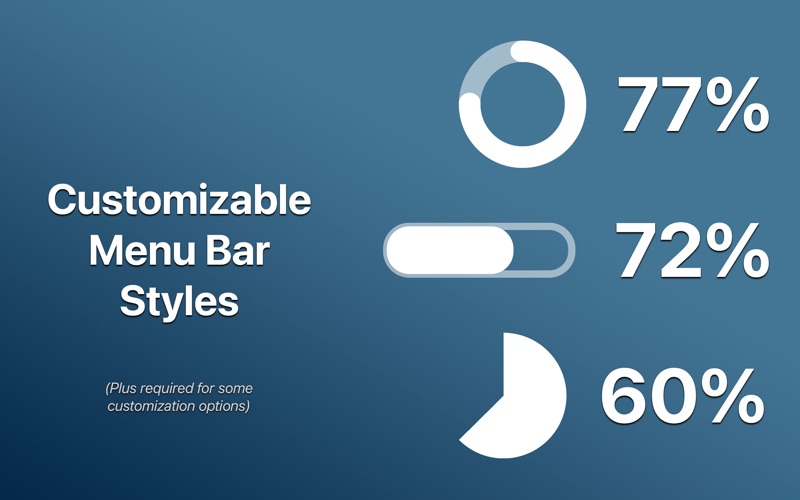
Choose from four elegant display styles to match your aesthetic:
• Progress bar
• Pie chart*
• Ring-style circle*
• Percentage text only
FLEXIBLE ACTIVE HOURS
Set your own active hours for daily progress. Track your 9-to-5, your creative hours, or the entire day — whatever works for your schedule.
CUSTOM COUNTDOWNS (Plus)*
Create unlimited personal countdowns for:
• Project deadlines
• Upcoming events
• Personal milestones
• Vacations, birthdays, launches, etc
Each countdown gets its own color and shows live progress in the dropdown menu. Display any countdown directly in your menu bar.
* Requires Plus one-time purchase.