
iPhone Screenshots


Description
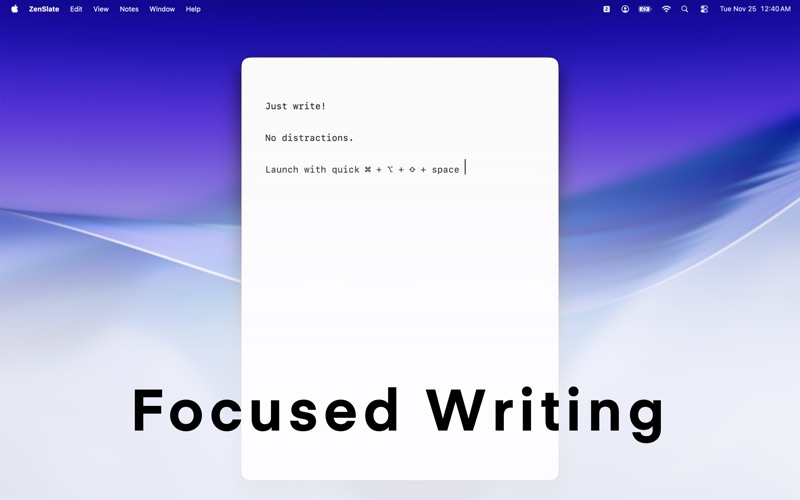
Introducing ZenSlate, the minimalist note taking app designed for calm, focused productivity on macOS. Whether you're capturing a quick idea, drafting a thought, or organizing insights throughout the day, ZenSlate is always within reach.
Open instantly from the menu bar or with a global shortcut ⌘ + ⌥ + ⇧ + space. No clutter, no noise just a clean space to write.
Key Features:
Menu Bar Access: Keep ZenSlate just a click away for effortless note taking.
Quick Launch Shortcut: Open your notes instantly with a keyboard shortcut ⌘ + ⌥ + ⇧ + space.
Lightweight & Distraction Free: A smooth, focused writing experience with a calming, zen aesthetic.
Native Apple Intelligence Support: Summaries, rewriting, improvements, and insights - powered by Apple Intelligence.
Search Made Simple: Find any note in seconds with fast, intuitive search.
Pin Important Notes: Keep essential thoughts and ideas at the top of your list.
Multiple Themes: Choose the mood that matches your flow - system, light, dark, sepia or forest.
Privacy First: Your notes stay on your device. Nothing synced, nothing shared.
ZenSlate brings intention and calm to your digital workspace.
Controls:
Global Shortcuts:
• Cmd+Shift+Option+Space - Toggle app visibility (show/hide ZenSlate)
Menu Bar:
• Cmd+O - Show/Hide ZenSlate
• Cmd+Q - Quit ZenSlate
Note Navigation:
• Cmd+N - Create new note
• Cmd+] - Next note
• Cmd+[ - Previous note
• Cmd+Shift+N - Duplicate current note
Command Palette (Cmd+P):
• Cmd+P - Open command palette
• Up/Down Arrow - Navigate through notes
• Enter - Select note or create new note
• Cmd+Enter - Create new note with search text
• Esc - Close command palette
• Click pin icon - Pin/unpin note
• Click trash icon - Delete note
Text Editing:
• Cmd++ - Increase font size
• Cmd+- - Decrease font size
• Cmd+Shift+K - Clear canvas (clear current note content)Write with clarity. Stay organized with ease.