
iPhone Screenshots


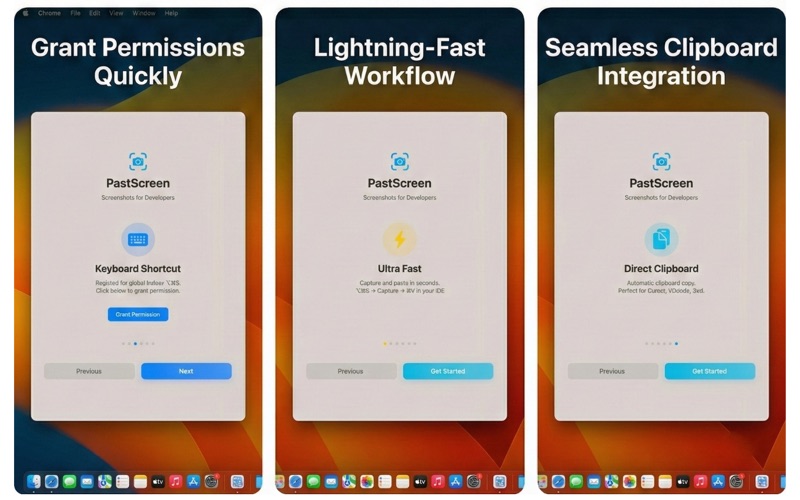
Description
PastScreen is a lightning-fast screenshot tool designed specifically for developers and power users. Living in your menu bar, it captures screen regions and instantly copies them to your clipboard—ready to paste into your IDE, design tool, or browser.
KEY FEATURES
Smart Clipboard
• Instantly copies image data ready for Slack, Discord, Jira, or Browser
• Also copies file path for compatible editors (VSCode, Cursor, Zed)
• Access recent capture paths via the History menu
• Zero friction, zero configuration
Developer-Focused Workflow
• Global hotkey (⌥⌘S by default, fully customizable)
• Multi-monitor support with pixel-perfect capture
• Save to your chosen folder with timestamp naming
• PNG or JPEG format options
• Liquid Glass selection overlay for precision
Menu Bar Native
• Lives in your menu bar, no Dock clutter
• macOS 14+ with native SwiftUI interface
• Screen Recording permission for capture
• Accessibility permission for global hotkeys
Launch at Login
• Automatically starts with your Mac
• Set it and forget it workflow
• Always ready when you need it
Privacy-First Design
• 100% local processing, zero data collection
• No analytics, no tracking, no cloud uploads
• Privacy policy accessible directly in Settings
• Open source for full transparency
User-Controlled Storage (New in 2.1)
• Choose exactly where screenshots are saved
• Direct access to your files via Finder
• Security-scoped bookmarks for persistent access
• Full control over your data
PERFECT FOR
• Software developers who paste screenshots into code editors
• Designers sharing mockups and references
• Technical writers creating documentation
• Anyone who takes frequent screenshots and needs them immediately
PERMISSIONS REQUIRED
• Screen Recording: Required to capture your screen
• Accessibility: Required for global keyboard shortcuts
• Notifications: Optional, for capture confirmations
PastScreen is open source and privacy-first. All processing happens locally on your Mac—no accounts, no tracking, no cloud uploads. Your screenshots, your control.