
iPhone Screenshots

Description
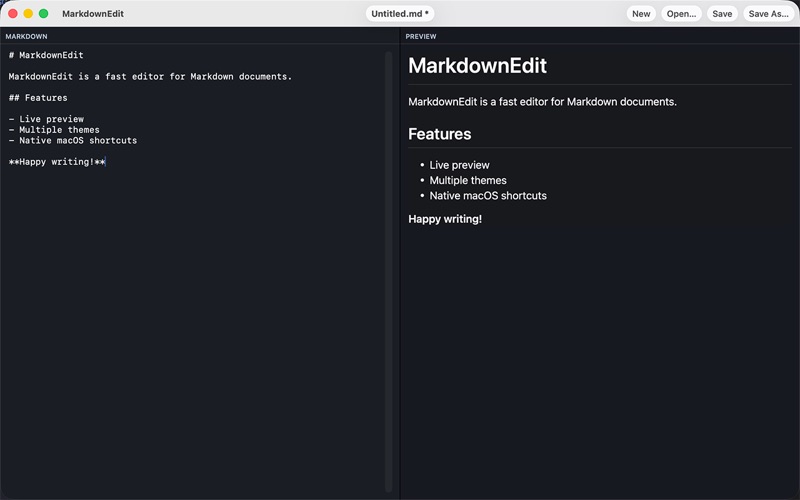
App Description: MarkdownEdit is a focused, fast macOS editor for Markdown with a clean side‑by‑side layout: write on the left, see an instant rendered preview on the right. No distractions—just your content, perfectly formatted as you type.
Highlights:
• True Live Preview: Updates instantly with headings, lists, links, code blocks, tables, quotes, images.
• Smart Split View: Adjustable divider remembers its position across launches.
• Safe File Handling: Open, Save, Save As… with security‑scoped access and atomic writes. • Auto Reload: Detects external file changes and lets you choose to reload or keep unsaved edits. • Dirty Indicator: Shows when there are unsaved changes.
• Localized: Full English and German interface (more languages planned).
• Markdown Engine: Uses GitHub‑style rendering.
• Keyboard Shortcuts: Cmd+N, Cmd+O, Cmd+S, Shift+Cmd+S for rapid workflow.
• Smart Filename Suggestion: First heading becomes the suggested file name.
• Window & Layout Persistence: Remembers size and split fraction.
• Safe Encoding Fallbacks: Reads UTF‑8, Unicode, UTF‑16 gracefully. • Lightweight: Launches fast; does not lock files unnecessarily.