
iPhone Screenshots

Description
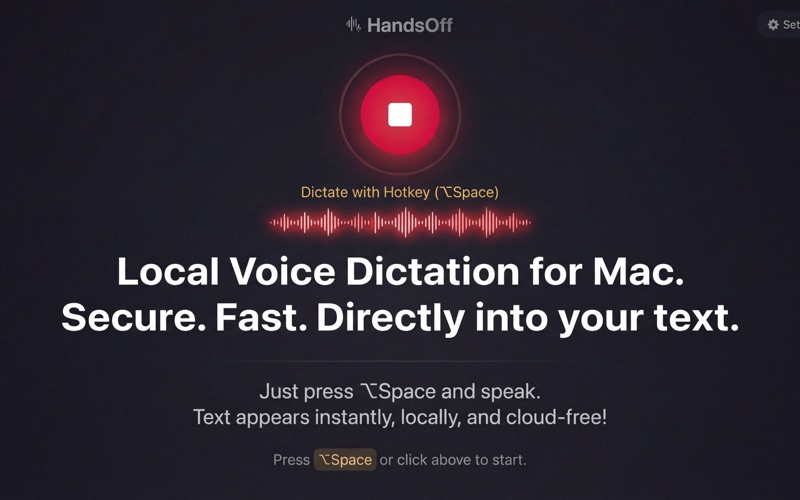
Stop typing. Start speaking. HandsOff turns your voice into text instantly in any macOS app. One hotkey, zero friction, complete privacy.
WHY HANDSOFF?
WORKS EVERYWHERE
Global hotkey that works in ANY app: VS Code, Xcode, Slack, Notion, Chrome, Terminal, Linear, Jira. No switching windows, no copy-paste.
PRIVACY FIRST
- Your OpenAI API key, not ours
- No backend, no servers, no tracking
- History stored only on your Mac
- Local mode: audio never leaves your computer
TWO MODES
1. OpenAI Whisper API: Fast, accurate, ~$0.006/minute
2. Local whisper.cpp: 100% offline, free, private
SMART HISTORY
- Search across all transcriptions
- Quick copy and export
- Auto-cleanup of old entries
- Disable saving for sensitive content
DEVELOPER-FRIENDLY
- Perfect for code comments, commit messages, documentation
- Works in terminal and any IDE
- Supports 50+ languages
- Custom prompts for formatting
WHO USES HANDSOFF?
DEVELOPERS
- Dictate code comments and docstrings
- Describe bugs in Jira/Linear
- Write commit messages
- Document APIs faster
PRODUCT MANAGERS
- Capture feature ideas in Notion
- Write user stories
- Quick feedback in Slack
- Meeting notes in Obsidian
WRITERS & CONTENT CREATORS
- Draft articles and blog posts
- Transcribe interviews (locally!)
- YouTube video descriptions
- Email responses
SECURITY & PRIVACY
- macOS Keychain: API key stored securely
- No analytics, no tracking, no telemetry
- Ephemeral audio: deleted after transcription
- Open architecture: we show you how it works
- GDPR compliant by design
POWERFUL SETTINGS
- Customizable hotkeys (Option+Space, Option+Command+Space, F8, etc.)
- Press-and-hold or toggle mode
- Auto-stop on silence
- 50+ recognition languages
- Audio quality settings
- Custom OpenAI prompts
COMPARED TO APPLE DICTATION
- Works in ALL apps (Apple's doesn't)
- Searchable history (Apple has none)
- Switch languages on the fly
- Local offline mode option
- Full privacy control
TRANSPARENT PRICING
HandsOff doesn't take a cut from your OpenAI usage. You pay OpenAI directly (~$0.006/minute). Or use local mode for free.
PERFECT FOR
- Software engineers writing documentation
- DevOps describing infrastructure
- PMs drafting specifications
- Support teams answering tickets
- Researchers taking notes
- Anyone who types a lot
HOW IT WORKS
1. Press your hotkey (default: Option+Space)
2. Speak naturally
3. Text appears where your cursor is
4. That's it.
50+ LANGUAGES SUPPORTED
English, Spanish, French, German, Italian, Portuguese, Russian, Japanese, Korean, Chinese, Arabic, Hindi, and 40+ more.
SYSTEM REQUIREMENTS
- macOS 13 Ventura or later
- Apple Silicon (M1/M2/M3/M4) or Intel Mac
- Microphone access
- Accessibility permissions (for text insertion)
- Internet connection (OpenAI mode) or 2GB disk space (local mode)
SUPPORT
We respond within 24 hours. Email: [email protected]
TECHNICAL DETAILS
Built with:
- Swift + SwiftUI (native macOS)
- AVAudioEngine for recording
- whisper.cpp for local recognition
- macOS Keychain for secure storage
- Accessibility API for text insertion
No third-party analytics. No tracking. No BS.
---
Made by developers, for people who create with words.