
iPhone Screenshots


Description
Instantly extract clean content from any webpage and copy it as Markdown with a single click.
WHAT IT DOES
Copy to Markdown extracts the main article content from web pages and converts it to clean, formatted Markdown - perfect for feeding into AI tools, note-taking apps, or documentation workflows.
KEY FEATURES
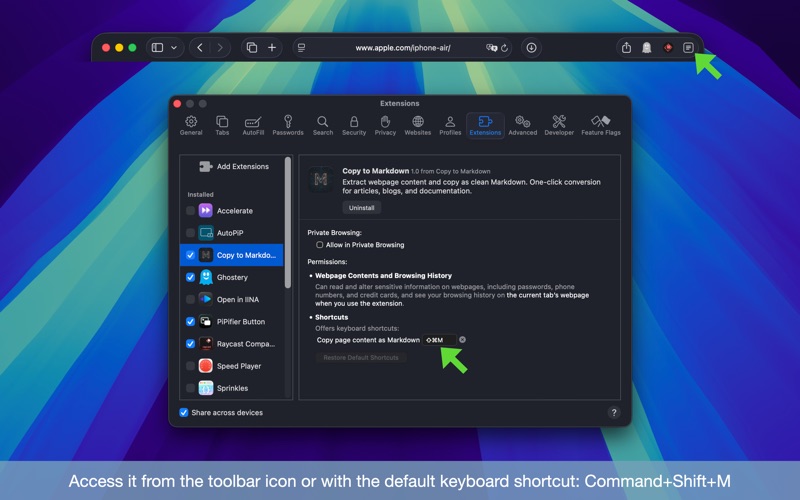
• One-Click Extraction: Click the toolbar button or press the keyboard shortcut (Command+Shift+M by default) to copy page content as Markdown
• Smart Content Detection: Automatically identifies and extracts the main article, filtering out ads, navigation, and clutter
• AI-Ready Output: Markdown format works seamlessly with Claude, DeepSeek and any other AI services
• Handles Complex Pages: Intelligently merges split article sections that some news sites use
• Offline Processing: All extraction happens locally in your browser - no data sent to external servers
USE CASES
• Quickly grab article content for AI analysis or summarization
• Archive web content in plain text format
• Extract documentation for offline reference
• Convert blog posts for import into note-taking apps
• Feed web content into AI assistants without copy-paste formatting issues
PRIVACY
All content extraction and conversion happens locally on your device. No data is transmitted to external servers.