
iPhone Screenshots
Description
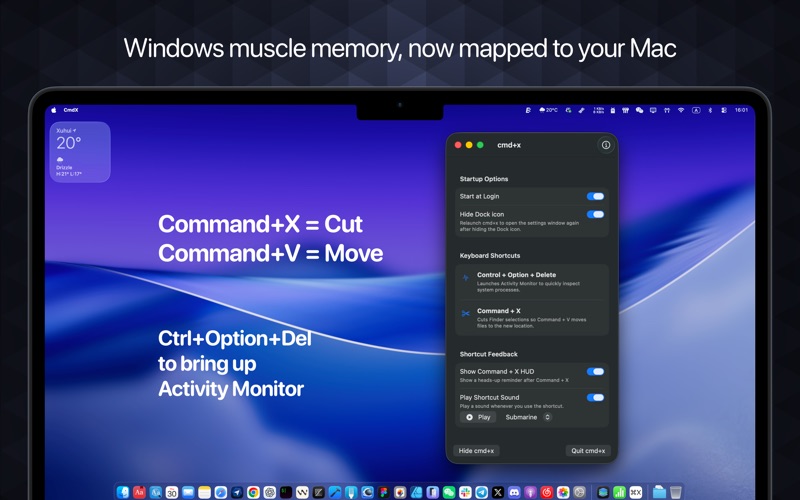
Allows users to launch Activity Monitor with a custom keyboard shortcut. It enables cut-and-move file operations in Finder using Command+X and Command+V. The runs at login, hides the Dock icon, and operates locally without collecting personal data.
cmd+x keeps Windows muscle memory alive on macOS 15+. Launch Activity Monitor with Control+Option+Delete, cut-and-move files in Finder.
- Control+Option+Delete opens Activity Monitor (shortcut fully customizable)
- Command+X/Command+V becomes a true cut-then-move workflow in Finder
- Start at login, hide the Dock icon, and stay out of the way while you work
Privacy:
cmd+x does not collect any personal data from your files or system. All operations are performed locally on your Mac.
Terms of Use:
https://www.apple.com/legal/internet-services/itunes/dev/stdeula/