
Klever - Instance UT
Test user flows with AI-powered automation
JooHyung Park
iPhone Screenshots

Description
Test user flows across multiple screens with simulated interactions. Identify usability issues and gather insights using AI analysis. Integrate with Figma prototypes for real-time testing and feedback.
Transform Your Usability Testing with AI-Powered Automation
Klever Desktop is a companion app that brings advanced AI testing capabilities to your Figma prototypes. Conduct comprehensive user flow analysis with real browser interactions and get actionable insights powered by cutting-edge language models.
KEY FEATURES
Complete User Flow Testing
Test entire user journeys from start to finish. Klever Desktop simulates real user interactions across multiple screens, identifying usability issues throughout your prototype.
Advanced AI Analysis
Multimodal AI models and other leading language models to analyze your designs. Get intelligent feedback on user experience, accessibility, and interaction patterns.
Real Browser Automation
Run tests in actual modern browser environments. See exactly how users will interact with your prototypes in real-world conditions.
Natural Language Commands
No coding required. Describe user actions in plain language, and Klever Desktop executes them automatically.
Comprehensive Testing Reports
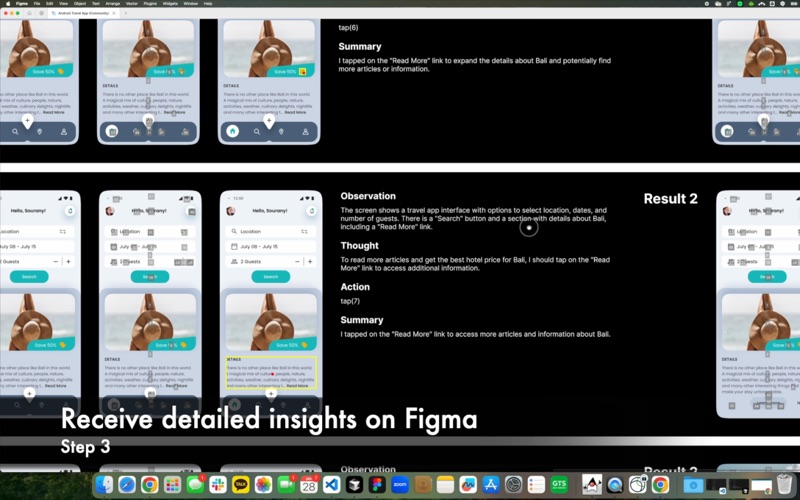
Receive detailed reports highlighting usability issues, user flow problems, and actionable recommendations for improvement.
HOW IT WORKS
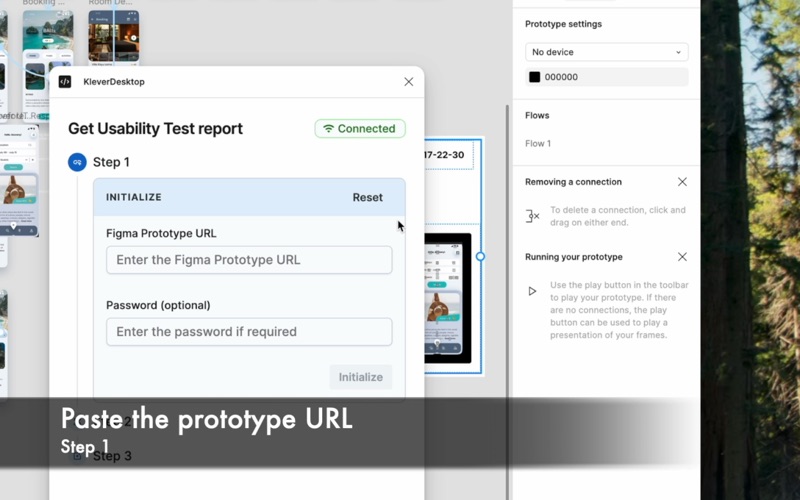
1. Install Klever Desktop and the Figma plugin
2. Connect your preferred AI models
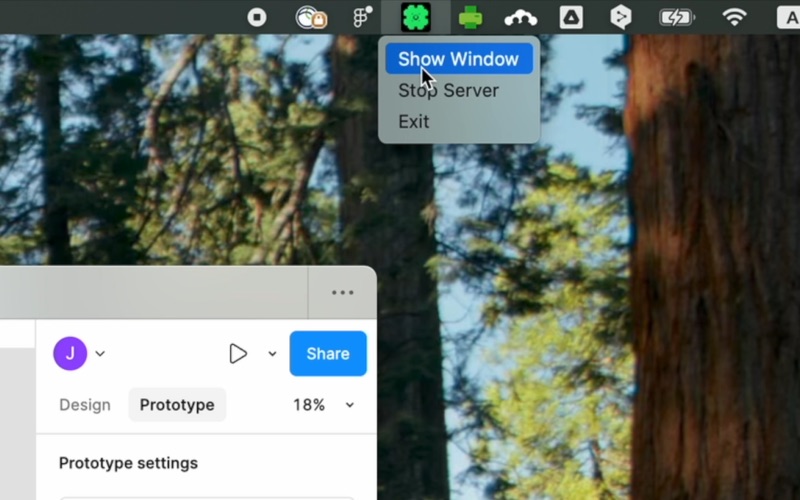
3. Launch the desktop app
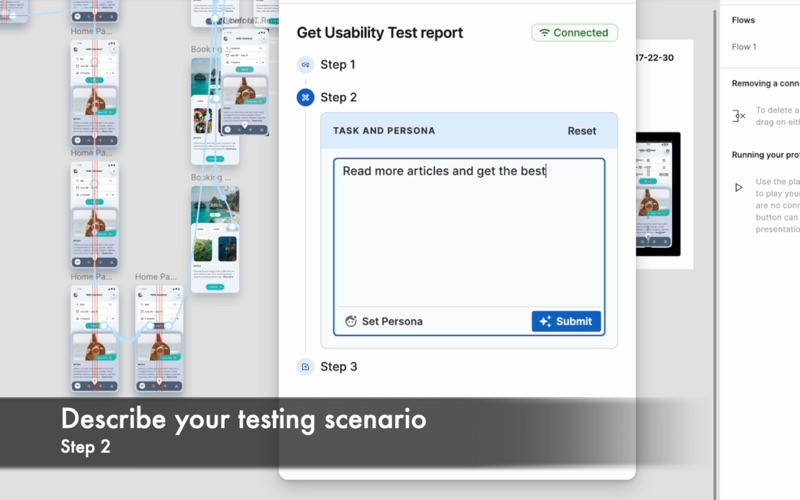
4. Create test scenarios in Figma using natural language
5. Watch as Klever automatically tests your prototype
6. Review comprehensive reports and insights
OPEN SOURCE & COMMUNITY DRIVEN
Klever Desktop is open source and community-driven. We welcome your feedback, bug reports, and feature suggestions on GitHub.
Visit our repository: github.com/FigmaAI/KleverDesktop