
Actioneer - Command your CI
Browse GitHub repos and check action runs
Sergei Armodin
iPhone Screenshots


Description
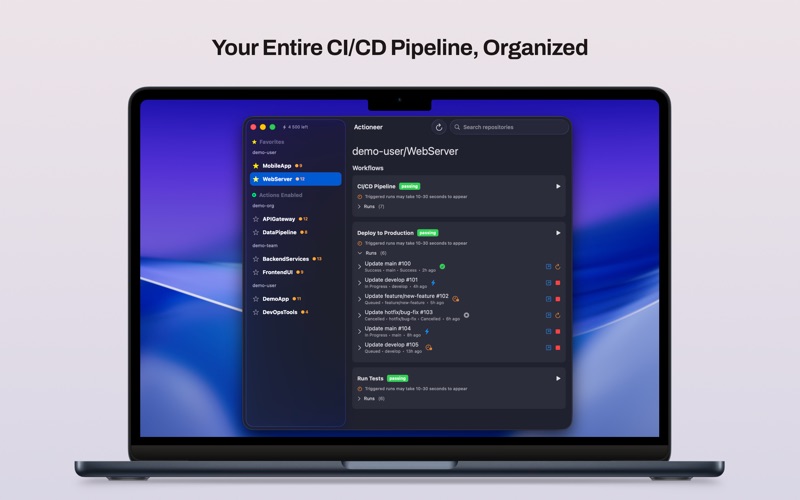
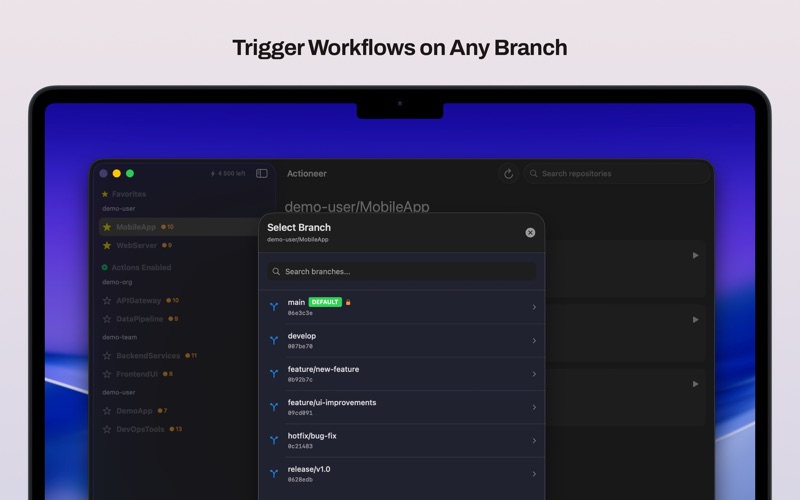
Browse GitHub repositories to view Actions workflows and recent runs. Check run status with badges and counts. Download and preview job logs for troubleshooting. Dispatch, cancel, or re-run workflows directly from the .
Actioneer — a lightweight macOS app for developers and DevOps engineers who want fast, reliable access to GitHub Actions from the desktop.
Key features
- Browse your GitHub repositories and view Actions workflows and recent runs quickly.
- Inspect run status (success, failure, queued, in progress) with clear badges and counts.
- View job logs: download and preview run logs for quick troubleshooting.
- Dispatch workflows, cancel running workflows, and re-run failed runs directly from the app.
- Favorites and quick search let you focus on the repositories and workflows that matter most.
- Desktop notifications for run completions and failures so you never miss important results.
- In-memory caching and efficient refresh make the app responsive while respecting GitHub rate limits.
- Secure authentication using OAuth (PKCE); tokens are stored securely in the macOS Keychain.
Privacy & security
We only request minimum GitHub scopes required for the features you use. Authentication uses OAuth PKCE and tokens are stored in the macOS Keychain. We do not send your logs or tokens to third-party servers without your explicit consent. See the app’s Privacy Policy for details.
Getting started
Sign in with your GitHub account (OAuth), grant the requested scopes, and the app will list your repositories and workflows. For CI/CD administrators and individual developers alike, Actioneer makes monitoring and simple management of GitHub Actions fast and convenient.