
iPhone Screenshots



Description
Clipora brings powerful AI tools to every video creator and small channel — browse YouTube, discover trending keywords, summarize videos, analyze channels, create thumbnails, and generate scripts and content ideas — all from one intuitive studio.
What you can do with Clipora
- Browse YouTube easily
Search and preview YouTube videos inside the app, explore categories, and quickly jump to trending content.
- Trending keyword discovery
Find high-impact keywords and search trends to shape titles, descriptions, and tags for better discoverability.
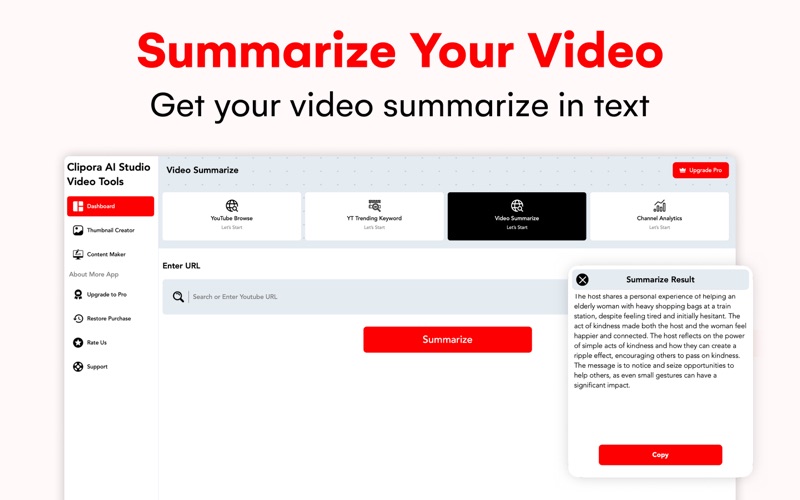
- Instant video summaries
Convert long videos into concise, shareable summaries and chapter notes — save time and find the core ideas fast.
- Channel analytics at a glance
Generate simple channel reports and performance snapshots to understand growth, audience, and content opportunities.
- Eye-catching thumbnails
Design thumbnails with smart templates and AI suggestions that improve click-through potential.
- Script & content generation
Use AI to draft video scripts, outlines, descriptions, hooks, and social captions — ready to edit and publish.
- Project workflow & export
Save projects, export thumbnails and scripts, and copy metadata to use directly when uploading to YouTube or scheduling tools.
Why creators choose Clipora
Clipora is built for creators who want to move faster and work smarter. Whether you’re a solo creator, educator, or small studio, Clipora helps you spot trends, polish ideas, and publish higher-quality videos with less effort.
Subscription & pricing
Clipora offers flexible access plans to fit different workflows:
- Weekly plan
Short-term access for quick tests and one-off projects.
- Monthly plan
Includes a 3-day free trial so you can evaluate premium features before billing.
- Yearly plan
Best value for regular creators.
- Lifetime plan
One-time purchase for permanent access (one-time payment).
All subscriptions are auto-renewing (except one-time Lifetime purchase). Payment will be charged to your Apple ID account at confirmation of purchase. To avoid renewal, cancel at least 24 hours before the end of the current period. Manage and cancel subscriptions in your Apple ID Account Settings. Any free trial unused portion will be forfeited when purchasing a subscription that carries a free trial.
Privacy Policy:
https://sites.google.com/view/designerslogo/privacy-policy
Terms Of Use:
https://sites.google.com/view/designerslogo/term-of-use
EULA:
https://www.apple.com/legal/internet-services/itunes/dev/stdeula/