
iPhone Screenshots





Description
Manage Claude Code + Gemini CLI in One App (also compatible with Claude Desktop, Cursor, Windsurf, Cline, and any other configs that share the same format)
Always free, no ads, data collection, or trials. MCP Server Manager is the only visual tool that manages both Claude Code and Gemini CLI Model Context Protocol (MCP) servers simultaneously. Configure both AI platforms side-by-side with separate states and instant switching.
Tri-Platform Support
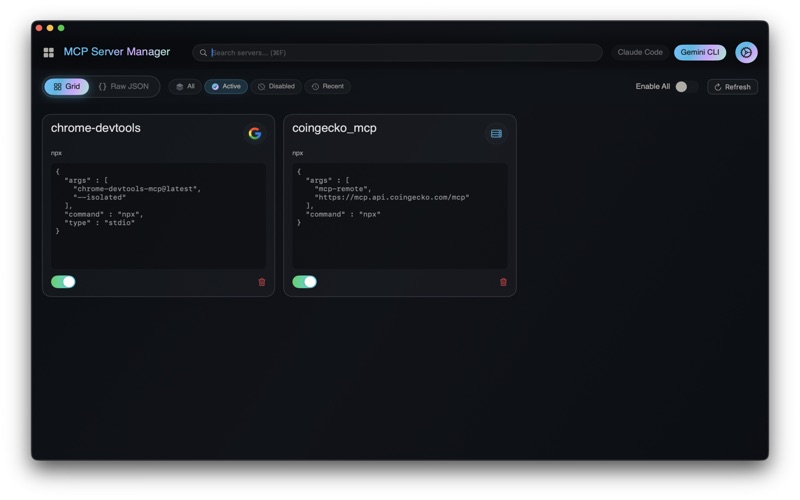
Manage Claude Code (~/.claude.json) and Gemini CLI config files at the same time. See all servers from both platforms in one unified view, with numbered badges showing which AI platform each server belongs to. Toggle between Claude and Gemini configs instantly to modify either setup.
Cross-Platform Visibility
All servers from both configs are always visible. No more switching between files or losing track of what's configured where. Visual indicators show you exactly which servers are active in Claude Code and Gemini CLI. Codex configuration is managed separately due to its TOML structure.
Inline Editing
Edit server configurations directly in the grid view. Hover over any server card to reveal the edit button—no need to switch to raw JSON mode. Format, validate, and save changes in seconds.
Bulk Operations
Toggle all servers on or off with a single click for the active platform. Perfect for quickly enabling your entire Claude Code setup or Gemini CLI configuration.
Intelligent Server Icons
Automatically fetches high-quality logos for recognized MCP servers from multiple sources (Clearbit, Icon Horse, DuckDuckGo). Parallel requests with quality scoring ensure you get the best available icon every time—crisp, professional logos instead of generic placeholders. Recognizes 100+ services including GitHub, Slack, PostgreSQL, MongoDB, AWS, and more.
Privacy First
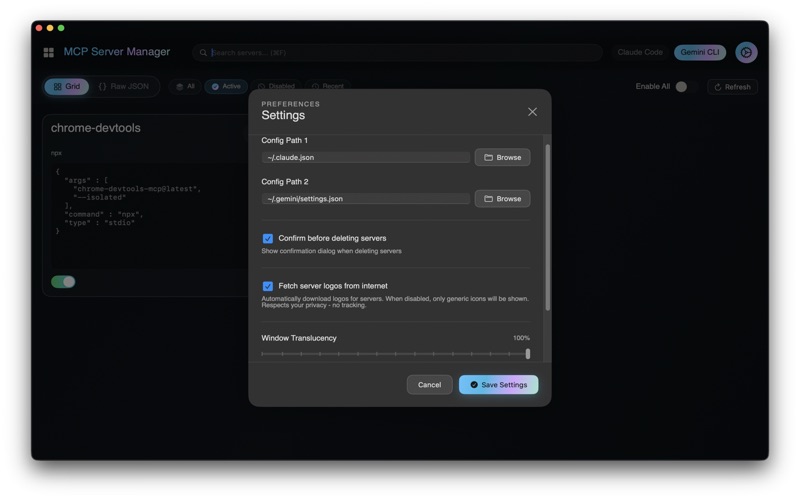
Logo fetching is optional and can be disabled in settings. When enabled, only domain names are sent to public icon services—no tracking, analytics, or personal data collected.
All fetched icons are cached locally for instant loading. No telemetry, no servers to maintain
MCP Registry Integration
Discover and install servers directly from the Lobe Hub MCP registry. Browse hundreds of pre-built integrations for databases, APIs, file systems, and more. Add them to Claude Code, Gemini CLI, or both with one click. Not available for Codex.
Smart JSON Editor
Built-in editor with syntax highlighting and validation. Copy configurations from documentation and paste directly. Raw JSON mode gives you full control when you need it.
Search & Organization
Find servers instantly with fuzzy search across both platforms. Filter by active, disabled, or recent servers. Organize complex multi-platform setups with ease.
Flexible Configuration
Works with standard paths or custom config locations. Manage development and production setups for both AI platforms. All changes save immediately to the correct config file.
Developer-Friendly
Built by developers, for developers. Open source and actively maintained.
Perfect For
- Developers using both Claude Code and Gemini CLI
- Teams standardizing MCP servers across AI platforms
- Anyone managing multiple AI assistant configurations
- Power users with complex Claude Code or Gemini CLI setups
- Developers tired of editing JSON config files manually
About MCP
The Model Context Protocol lets AI CLI tools like Claude Code and Gemini CLI connect to external tools and data sources. MCP servers extend their capabilities with file access, database queries, API integrations, and more.
Requirements
macOS 12 or later
Claude Code and/or Gemini CLI JSON config files.
One app. Limitless AI platforms. Infinite possibilities.