
iPhone Screenshots


Description
### KEY FEATURES
**Intelligent File Processing**
• Smart file stabilization - Monitors file sizes until stable before downloading
• Concurrent downloads - High-performance engine handles parallel file transfers
• Real-time performance tracking - Live monitoring of speeds and metrics
• Auto-tuning - Automatically adjusts connection strategies for optimal performance
**Advanced Configuration**
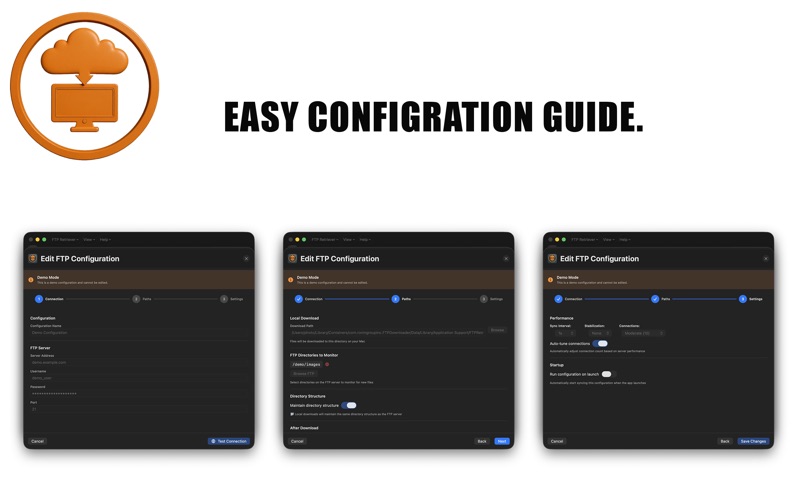
• Multiple server profiles - Save and manage unlimited FTP configurations
• Built-in connection testing - Verify credentials before saving
• Flexible download modes - Delete or keep files on server after download
• Directory structure preservation - Maintain FTP hierarchy locally
• Secure credential storage - macOS Keychain integration
**Performance & Monitoring**
• 7 aggressiveness levels - From Conservative (3 connections) to Extreme Max (200 connections)
• Real-time statistics - Live files/minute tracking and session reports
• Comprehensive logging - Detailed operation logs with real-time feed
• Background processing - Non-blocking UI with background operations
**Smart Synchronization**
• Configurable sync intervals - From 0.1 seconds to 2 hours
• Multi-directory monitoring - Watch multiple FTP directories simultaneously
• Automatic retry logic - Exponential backoff for failed operations
• Session persistence - Resume operations after app restart
**Modern macOS Experience**
• Native SwiftUI interface - Modern, responsive macOS design
• Live log viewer - Dedicated window for real-time monitoring
• Tabbed interface - Easy switching between server configurations
• Dark mode support - Full macOS appearance adaptation
**Demo Mode Included**
Try FTP Downloader risk-free with built-in demo mode featuring simulated FTP operations and real-time performance visualization.
### USE CASES
• Automated file retrieval from production FTP servers
• High-volume data synchronization for enterprise workflows
• Real-time monitoring of incoming file drops
• Batch processing of server-uploaded files
• Scheduled file transfer automation
• Business process integration via FTP file exchange