
iPhone Screenshots



Description
eBook Converter for All Formats
The easiest way to convert your ebooks into any format and read them on Kindle, Kobo, Nook or Mac. Whether you need to turn an EPUB into MOBI, a PDF into EPUB, or export your AZW3 for universal reading, eBook Converter makes it simple, fast, and reliable.
Why Choose eBook Converter?
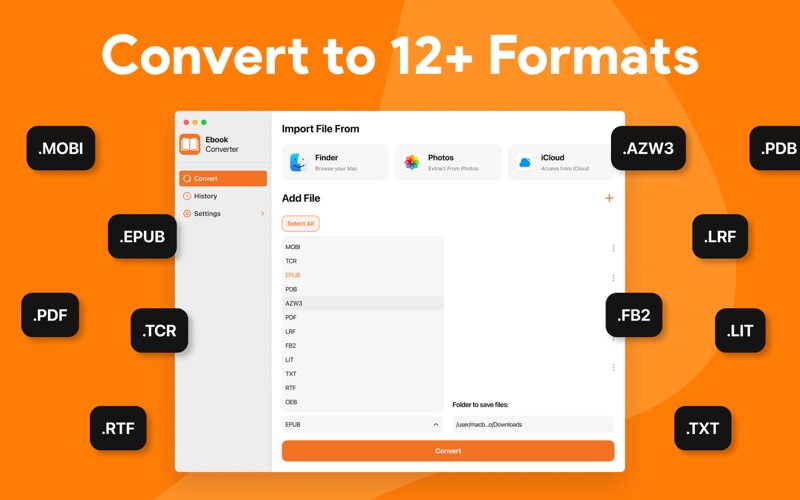
– All-in-One Conversion – Supports EPUB, MOBI, AZW3, PDF, LRF, FB2, TXT, RTF, DOCX, OEB, PDB, LIT, TCR, RB and more.
– Kindle Ready – Convert EPUB into MOBI or AZW3 instantly for Kindle devices and apps.
– Universal Compatibility – Works with popular eReaders including Amazon Kindle, Kobo,Nook, Apple Books, and more.
– Fast & Reliable – Drag & drop your files and get clean, perfectly formatted ebooks in seconds.
– Batch Conversion – Convert multiple ebooks at once, saving time for large libraries.
– Smart Output Control – Choose your preferred format and destination folder with one click.
Additional Features
▶ Simple drag-and-drop interface.
▶ Import from Finder, Photos, or iCloud.
▶ File size support up to 100 MB per ebook.
▶ Clean layout designed for Mac users.
Upgrade to Pro
Unlock unlimited conversions, faster processing, and premium support. Perfect for avid readers, researchers, and anyone with a large ebook library.
With eBook Converter, you don’t just convert files—you unlock the freedom to read your books anywhere, anytime.
Download now and start converting your ebooks in seconds!
Note:
The payments for in-app purchases are directly charged from your iTunes account after the confirmation stage. The subscription to our service will be automatically renewed unless the auto-renew option is turned off 24 hours before the expiration of the current subscription period. Your iTunes account will be charged for the renewed subscription within a 24-hour time period prior to the expiration of the current subscription. The users can manage their subscriptions and turn off the auto-renewal of their purchase by going to the setting of your account on the App Store.
Privacy Policy:
https://sites.google.com/view/muhammadqasimwali/privacy-policy
Terms and Conditions:
https://sites.google.com/view/muhammadqasimwali/terms-of-use
End-User License Agreement(EULA):
https://sites.google.com/view/muhammadqasimwali/eula