
iPhone Screenshots



Description
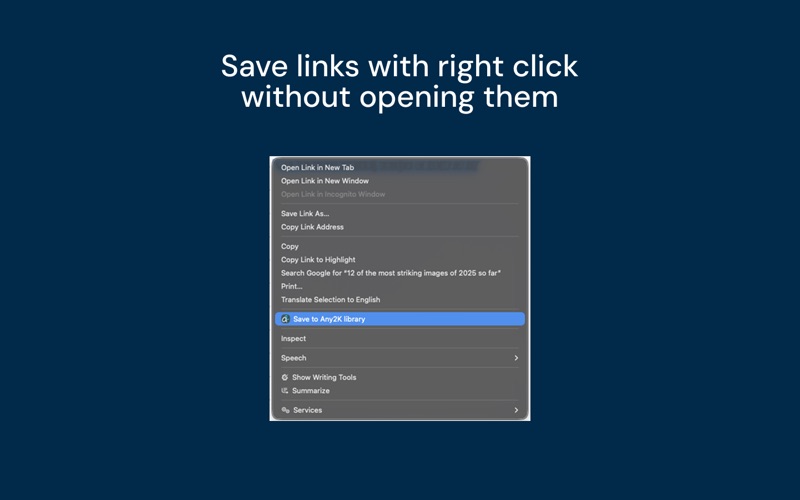
Any2K Safari extension allows you to save articles directly from your Safari desktop browser into your Any2K content library. You can also tag the articles you add, helping categorize them. To save articles from your mobile devices, get the Any2K mobile app.
Once you build a personalized library, go to Any2K website or mobile apps to set up automated delivery to your Kindle. Any2K offers advanced Kindle delivery options that lets you create your personalized magazine you can read every day, every week or during your vacation.
This extension works by saving the current webpage to your Any2K library. If you are not logged in, you will be taken to a login page after which you can start saving articles into your library.
________________________
LEGAL:
Terms of Service: https://any2k.com/legal/terms
Privacy Policy: https://any2k.com/legal/privacy
Licensed Application End User License Agreement: https://www.apple.com/legal/internet-services/itunes/dev/stdeula/
Kindle® is a registered trademark of Amazon.com, Inc. Any2K and Automata Solutions, Inc. are not affiliated with Kindle or Amazon.com, Inc.