
iPhone Screenshots


Description
Share files, links, messages, and clipboard across all your devices without using the cloud. EasyJoin connects your devices directly over your local network, keeping your data private, encrypted, and offline.
Why EasyJoin?
• No cloud required
• End-to-end encryption for all transfers
• Unlimited file size
• Share folders
• Works offline on your local Wi-Fi
• Compatible with Android, Windows, Mac, iPhone, iPad, Linux
File & Data Transfer
• Send files and folders
• Transfer photos, videos, audio, documents
• Share links, notes, and clipboard text
• Drag-and-drop support on Mac
Sync Messages & Notifications
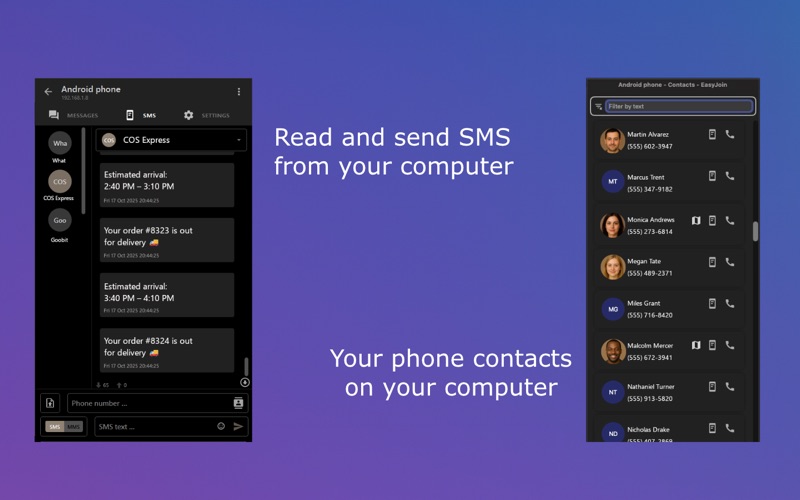
• Read and send SMS from your Mac
• Your phone contacts on your Mac
• Get your Android notifications on Mac
• Reply directly from your Mac
Multi-Device Sync
• Connect multiple devices simultaneously
• Sync clipboard between phone and computer
• Auto-discover nearby devices
Privacy First
• EasyJoin uses direct device-to-device connections.
Cross-Platform
Use EasyJoin across:
• macOS
• Android
• Windows
• Linux
• iPhone
• iPad
Perfect For
• Offline file sharing
• Secure transfers
• Productivity & multi-device workflows
• Privacy-focused users
• Phone-to-computer SMS & clipboard sync
Premium Upgrade (Optional)
Upgrade to Premium to unlock:
• Advanced device support
• Enhanced features
• Lifetime access (no subscription)
Support & Feedback
We’re here to help!
If you have questions, suggestions, or feedback, contact us anytime: [email protected]
Discover EasyJoin at https://easyjoin.net.