
iPhone Screenshots




Description
Quit All Apps is the fastest and most minimal way to close all running apps on your Mac. Just click the menu bar icon or press a single keyboard shortcut, and all open apps will quit in a safe manner.
Main features
- Quit all apps with one click: Tap the menu bar icon to close all apps.
- Quit all apps with a keyboard shortcut: Use ⌃⌥⌘Q for a clean slate, instantly.
Additional features
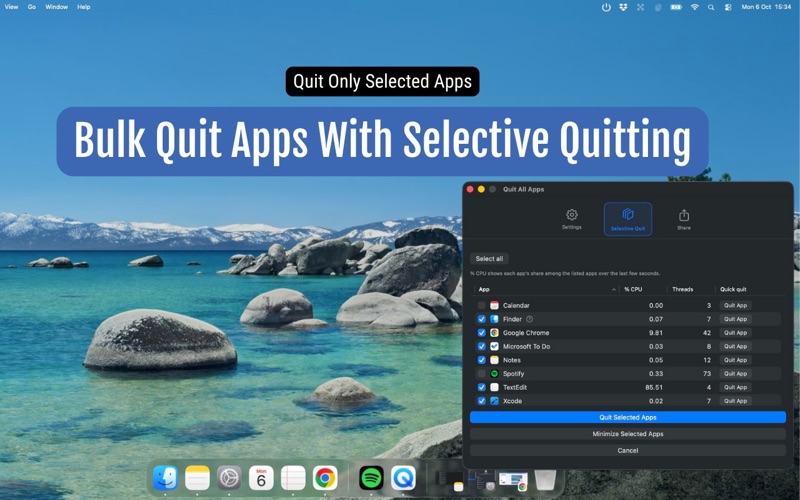
- Bulk quit: Choose exactly which apps to quit.
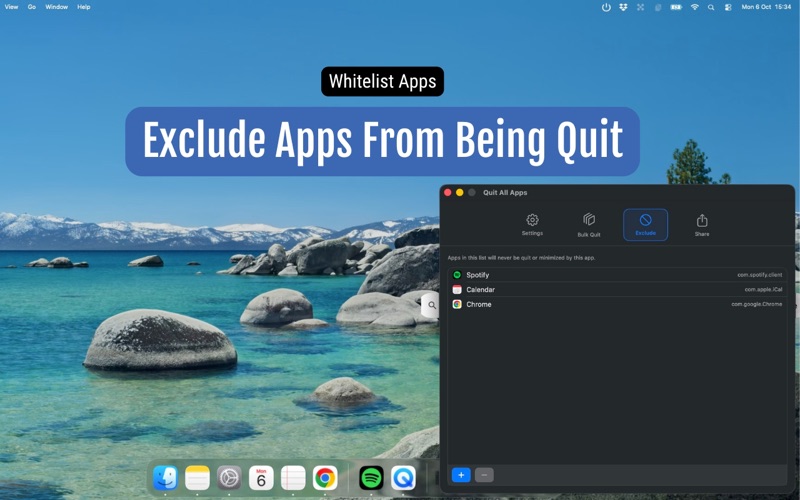
- Exclude apps: Choose which apps that should not be touched by Quit All Apps
- Minimize all apps: Hide every app’s windows without quitting.
- Keyboard shortcuts: ⌃⌥⌘Q (Quit All Apps), ⌃⌥⌘M (Minimize All Apps), ⌃⌥⌘B (Bulk Quit Selected Apps), ⌃⌥⌘S (Open Settings).
Flexible settings:
- Hide the menu bar icon (for less clutter)
- Enable/Disable one‑click quit based on your preferenfces
- Enable/disable keyboard shortcuts (if they conflict with other shortcuts)
Perfect before
- Presentations
- Online meetings
- Starting a new project
- Ending your workday
- Recording, streaming, or screen sharing
Safe quitting: Quit All Apps never force‑quits. If you have unsaved work, macOS prompts you to save or cancel, just like quitting manually.
Quit All Apps helps you focus, reset, or prepare your Mac for what’s next. It’s like a digital deep breath.