
iPhone Screenshots



Description
Kanodo is a native kanban app built around two unique concepts:
MULTI-WINDOW CARDS
Cards open in their own windows. Open multiple at once, arrange them however you like, compare tasks, or keep important information visible while you work elsewhere. Pin cards to the sidebar for instant access from anywhere. No more modals blocking your view.
MINI-BOARDS
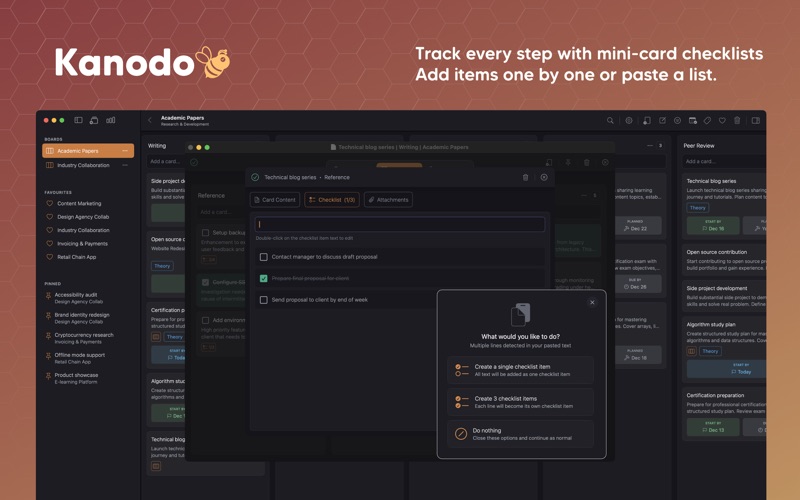
Cards can contain mini-boards. When a task has multiple steps, break it down right there inside the card. Create columns, add mini-cards, attach checklists, and track progress without cluttering your main board.
Everything else you expect from kanban is here: workspaces, boards, columns, labels, dates, attachments, dashboards, filtering, search and calendar export.
All native to your Mac, all stored locally, no account required.
WORKSPACES & BOARDS
- Workspaces separate areas of your life
- Boards for individual projects
- Reorder workspaces and boards by dragging
- Board descriptions for project notes
- Board statistics showing cards, columns and activity
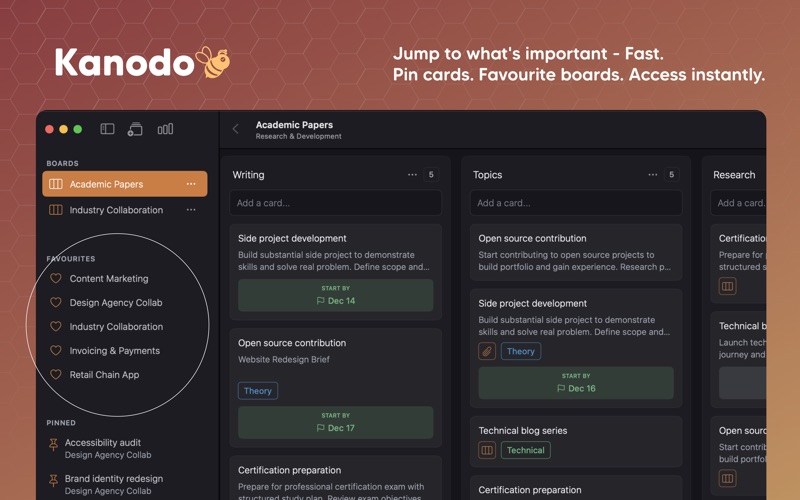
- Favorite boards for quick access across workspaces
COLUMNS & WORKFLOW
- Create columns to match your workflow
- Reorder columns by dragging headers
- Optional card count in column headers
- Clear all cards from a column in one action
- Configurable column width
CARDS
- Rich Markdown content with preview
- Headings, bold, italic, lists, links, code blocks
- Drag and drop images into content
- Auto-save as you type
- Batch card creation by pasting multiple lines
- Drag and drop to move and reorder
THREE DATE TYPES
- Earliest start date
- Planned start date
- Due date
- Configurable date badge visibility
- Warning colors for approaching deadlines
- Smart display shows dates only when relevant
LABELS
- Color-coded labels with full color picker
- Apply multiple labels per card
- Labels unique to each board
- Edit labels and changes update everywhere
- Apply labels to mini-cards too
ATTACHMENTS
- Drag and drop files onto cards
- Store locally or in iCloud
- Sync attachments across Macs via iCloud
- Configurable file size limits
- Open in default app or reveal in Finder
- Link attachments to mini-cards
DASHBOARDS
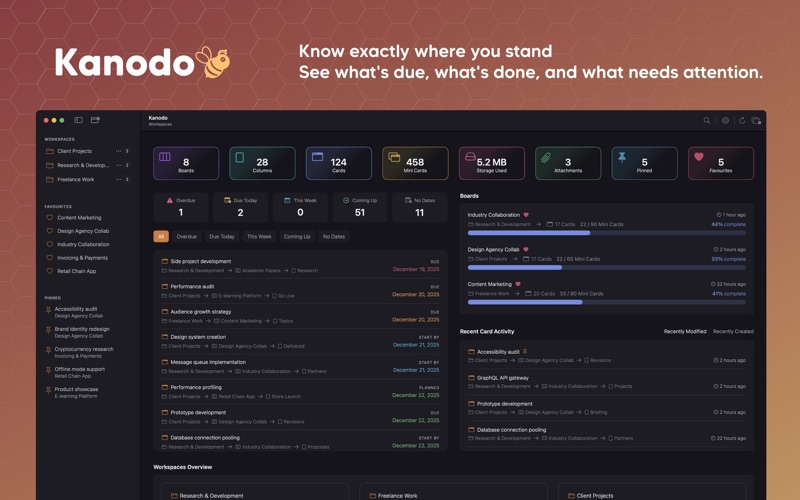
- Workspace dashboard with activity overview
- Cross-workspace dashboard
- Statistics, recent activity, schedule widgets
- Card distribution by column and label
- Filter schedule by overdue, this week, coming up
- Customize which widgets appear
SEARCH & FILTERING
- Board search filters in real time
- Global search across all workspaces
- Search mini-cards and attachments
- Filter by labels, attachments, content or mini-boards
- Combine multiple filters
CALENDAR EXPORT
- Export dated cards to ICS format
- Separate events for each date type
- Compatible with Apple Calendar, Google Calendar, Outlook
NATIVE & PRIVATE
- Built with Swift for macOS
- Fast, responsive, works offline
- All data stored locally on your Mac
- No accounts required
- No tracking or analytics
- Optional iCloud for attachments only
CUSTOMIZATION
- Light, dark or system appearance
- Configurable date formats
- Adjustable column width
- Toggle features on or off
- Control confirmation dialogs
- Set attachment limits
Every feature is available in the free version so you can try before you buy. When you're ready, Pro removes all limits with a single purchase.
Unlimited workspaces, boards, columns, cards, labels, attachments, mini-columns, mini-cards and checklist items. No subscriptions. No monthly fees. Pay once, keep it forever.
Download and give it a week with your current projects. Create a workspace, set up a board, and try breaking down a complex task with a mini-board. Open a few cards side by side and we think you'll find it hard to go back to modals.
Music by: bensound.com
License code: OGZVFA8JHNZAMGLV
Artist: Benjamin Tissot