
iPhone Screenshots

Description
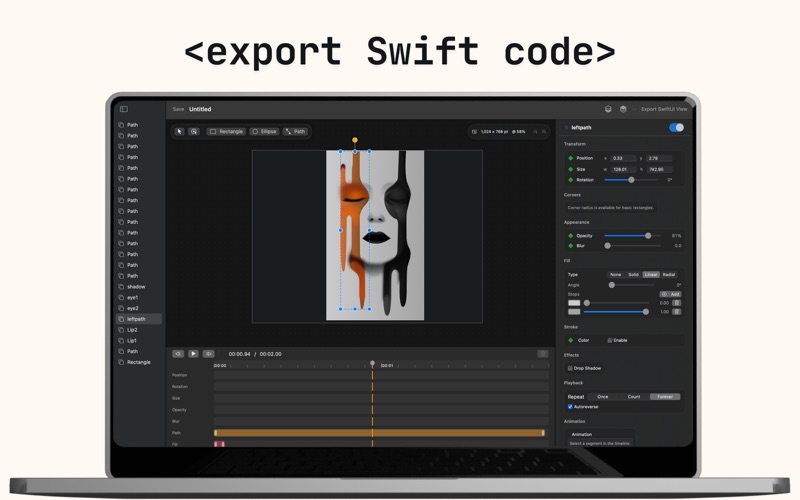
MotionCode is a fast, friendly macOS design tool built for Swift developers. Draw shapes, craft icons, rig paths with a node editor, set keyframes on a clean timeline—and export production-ready SwiftUI with one click. What you see is exactly what your code renders.
Whether you’re prototyping an app, preparing marketing visuals, or building delightful micro-interactions, MotionCode turns pixels into SwiftUI you’ll actually ship.
Why MotionCode
Design → Code, instantly. Export clean SwiftUI with sensible names, consistent formatting, and no mysterious frameworks.
Precise vector editing. Pen tool, node handles, booleans, flips, and transforms—edit like a pro.
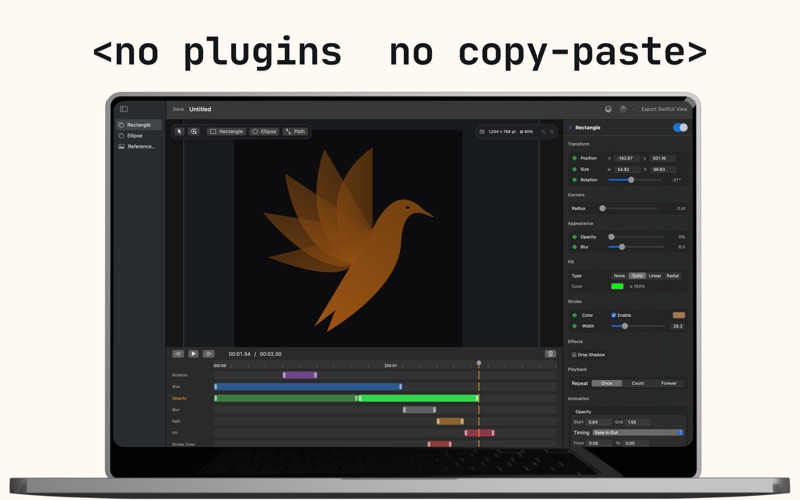
Keyframe animation. Animate position, rotation, opacity, blur, and morph vector paths. Preview on a timeline.
Reusable components. Group layers, rename, and generate tidy view structs you can drop right into your project.
Made for Swift. Everything aligns with SwiftUI patterns—modifiers, fills/strokes, and monospaced numeric formats.
Key Features
Vector shapes, text, and images
Node editor with symmetric/mirrored handles
Path morphing (A ⇄ B) with smooth interpolation
Layer blending, visibility toggles, and snapping
Timeline with scrubbing and playhead controls
Export SwiftUI views (no dependencies)
Mac-friendly UI with keyboard shortcuts
Dark mode optimized
Who It’s For:
iOS & macOS developers who want design-to-code.
Indie makers who value speed and clean diffs
Designers collaborating directly with Swift teams
Anyone who loves turning ideas into shipping UI—fast
Pricing
Start free with a limited export. Upgrade to MotionCode Pro to unlock unlimited exports and future Pro features. It’s a one-time purchase—no subscription.
Privacy
No accounts. No analytics. Your projects stay on your Mac.