
iPhone Screenshots

Description
FileRhythmcs — Bring Rhythm to Your Files
Your Mac shouldn’t feel like a junk drawer. FileRhythmcs helps you take control of Downloads, Desktop, and beyond — with clear, customizable workflows you design.
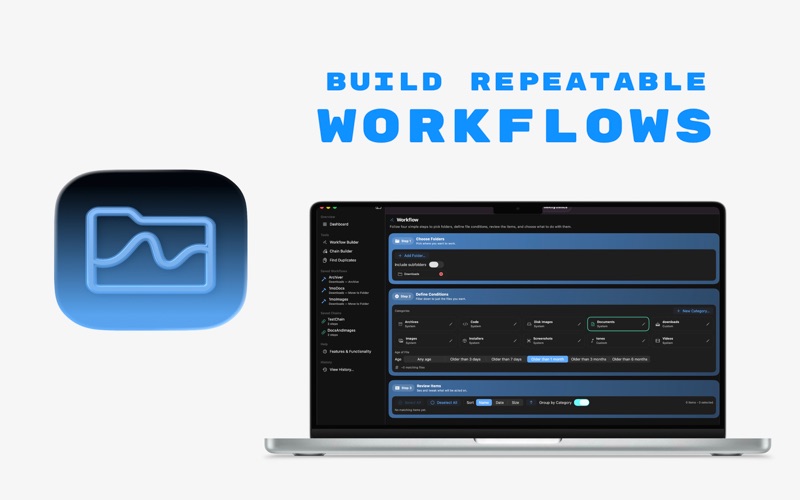
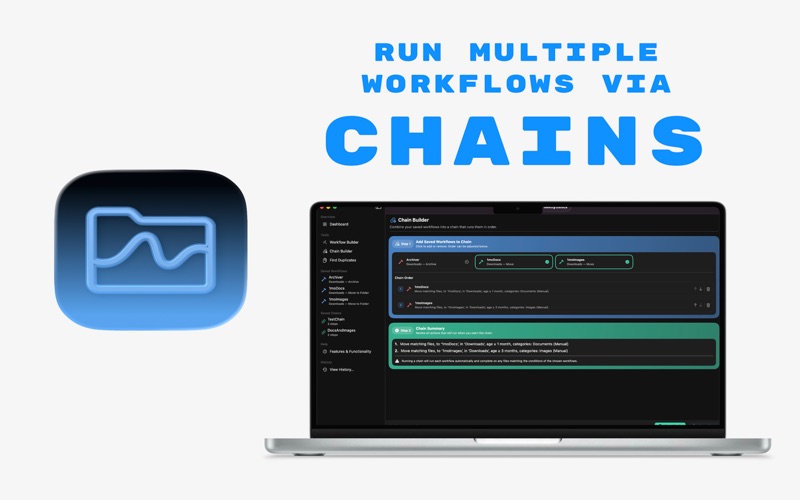
Instead of endless piles of screenshots, PDFs, zips, and installers, FileRhythmcs lets you define exactly how files should be handled. Build simple workflows to move, delete, or archive based on your rules (or start with the sensible defaults we ship). Save them, reuse them, and chain them together for one-click tidying that fits your rhythm.
Why You’ll Love It
• Workflows Made Easy: Pick folders, set conditions, and decide what happens — Move, Delete, or Archive.
• Custom Categories: Use our defaults (Screenshots, PDFs, Images, Archives, Apps, and more) or define your own.
• Chains for Power Users: Combine multiple workflows into a chain and run them all at once.
• History & Undo: Every action is tracked, so you can always roll back or trace changes.
• Your Pace, Your Way: Nothing happens automatically — you stay in charge, every step of the way.
Perfect For
• Download hoarders who want clarity without losing control.
• Screenshot sprinters who need their Desktop back.
• Organizers who love rules, categories, and tidy outcomes.
Extras You’ll Appreciate
• A clean, native design that feels at home on macOS.
• QuickLook previews before committing to a move or delete.
• Saved workflows for repeat tasks.
• Chainable rules for complex cleanup in a single click.
Bring rhythm back to your files. Build your workflow, hit run, and enjoy the order.