
iPhone Screenshots

Description
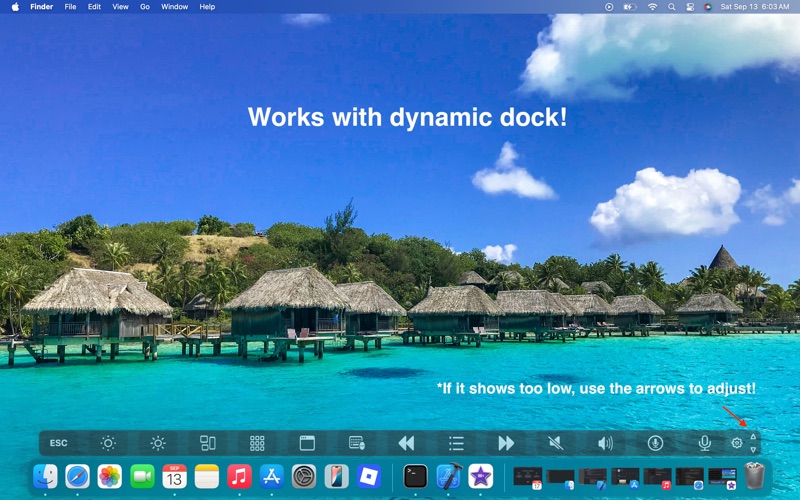
Virtual Bar Map gives you a visual, clickable map of your Mac’s Touch Bar - right on your screen.
It’s perfect if your Touch Bar is unresponsive, dim, or completely broken, and also works as a convenient Touch Bar simulator.
Why you’ll love it
Quickly see where every Touch Bar button is
Click controls directly on screen, even if the hardware isn’t working
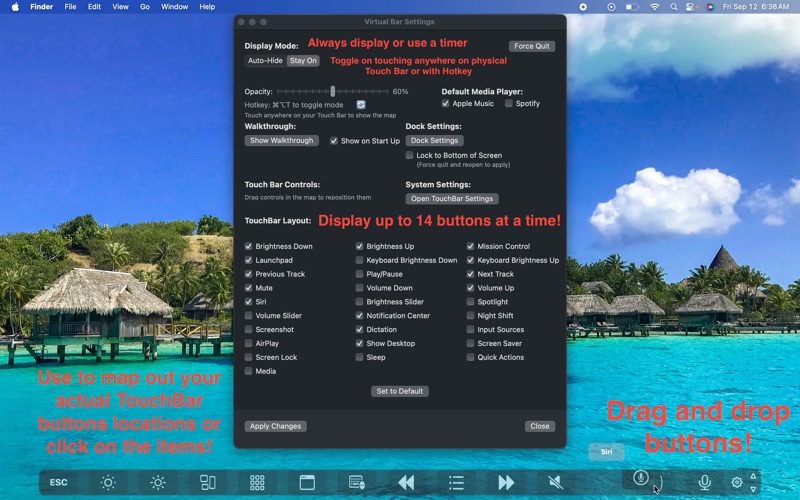
Customize the layout to match your Mac’s Touch Bar exactly
Keep it handy with a global hotkey (⌘⌥T) and menu bar access
Choose auto-hide timing or keep it always visible
Important to know
For most buttons, you can click them directly. Some system controls (like brightnesss, keyboard brightness, Night Shift, or AirPlay) will open their corresponding macOS settings panel instead (and allow you to adjust them there), due to Apple privacy rules.
Requirements
macOS Catalina (10.15) or later
Support
Need help or have feedback? Reach out anytime: [email protected]