
iPhone Screenshots


Description
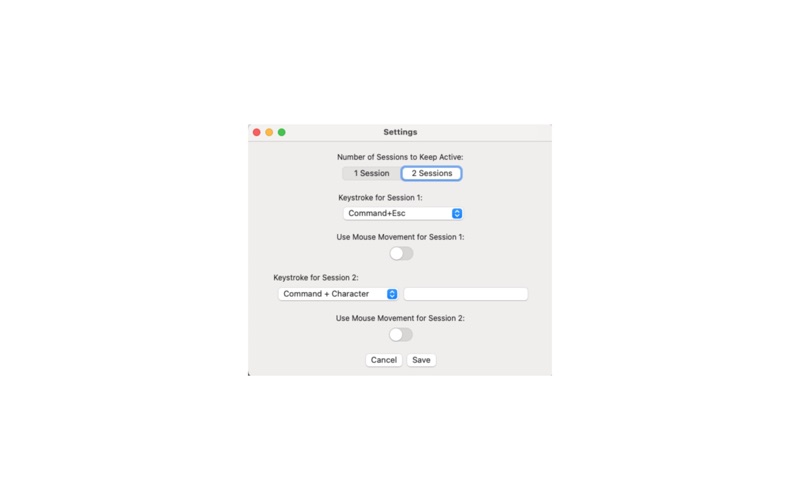
This app was designed for people who access remote systems and wish to avoid the timeouts associated with them. It has been tested on a number of cloud-based Virtual platforms and works well for Virtual Desktops running in an app or in a browser. This app has a settings page which allows you to configure it to keep one or two sessions alive by send specific keystroke combinations (and mouse move if needed) to a targeted window on a timed basis.
From the main window, simply enter the text that appears in the title bar of the app or window you wish to target, select the timer value and press "Keep Alive." It has a feature to display all of the active window titles in case you have difficulty in entering the correct search data. You can minimize this app and just allow it ro run in the background.
It requires Accessibility permission to find the target window(s) and send the keystrokes to it. You will be prompted by the app to grant this permission the first time you run the app.