
iPhone Screenshots




Description
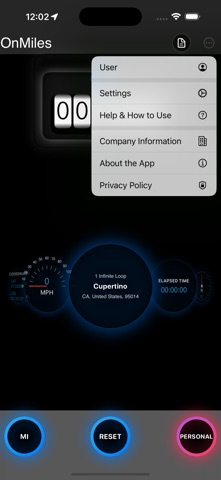
OnMiles records your drives automatically and helps you keep an organized mileage, expense and trip history on your iPhone. Built for people who drive for work: rideshare and delivery drivers, freelancers, real-estate agents, home-health workers, mobile service professionals and small-business owners who drive to clients.
AUTOMATIC TRIP TRACKING
• Starts recording on its own when you drive and stops when you park, even with the screen off.
• Every trip keeps its route on the map, stops with address and time, distance, duration and speeds.
• Mark trips Work or Personal before you drive, or change them with one tap later.
• A "Trip recorded" notification shows the miles, time and route when each trip ends. You can switch to a daily summary or turn it off.
SMART TRIPS, ON YOUR IPHONE
• OnMiles learns the places you drive to regularly and can classify those trips as Work or Personal.
• Name your places, such as Home, Office or a client, and reuse business purposes with one tap.
• Everything is learned on your iPhone. Nothing is sent to a server.
MILEAGE AND BUSINESS REPORTS
• Detailed and Summary reports by day, month, year or custom period.
• Work vs. Personal split, business purpose notes, route details, stops and totals.
• Export to PDF or CSV and share reports with your accountant, bookkeeper, employer or client.
INCOME AND EXPENSE ORGANIZATION
• Track income, parking, tolls and other business expenses.
• Scan receipts: the total, date and merchant are read on your iPhone.
• Import bank and card statements without giving anyone your bank login.
• Review recognized transactions before saving them.
• Compare mileage-based vehicle reporting with actual vehicle expenses for planning.
• Export income, expenses, mileage and trip records when you need them.
PRIVATE BY DESIGN
• No account and no ads.
• Your trips, places and finances are stored on your iPhone.
• You can create an encrypted backup file and store it wherever you choose.
WHAT ONMILES NEEDS
• Location "Always", so trips can be recorded while the app is in the background.
• Motion & Fitness access is optional and helps detect driving sooner.
• Background location use can reduce battery life. OnMiles only records while you drive.
OnMiles organizes your records and reports for planning. It does not provide tax, legal or accounting advice.