
iPhone Screenshots



Description
SpeechToPrompt is a minimal, powerful macOS app that turns your spoken thoughts into clean, organized text you can paste directly into your coding tools, pull requests, or any other workflow. Designed for speed, accuracy, and simplicity, it’s the perfect companion for developers, creators, and anyone who thinks faster than they can type.
How it Works
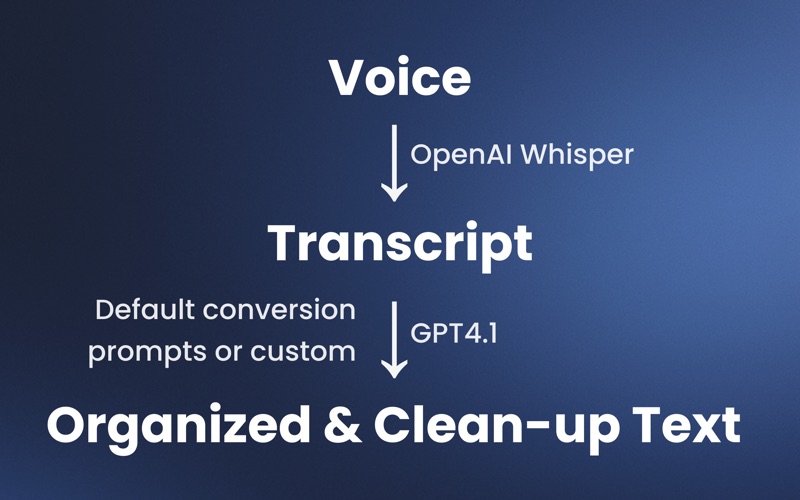
- Record — Start recording from the app or system tray with one click or a global shortcut.
- Transcribe — Your audio is sent to OpenAI Whisper for fast, highly accurate speech-to-text conversion.
- Organize — GPT-4.1 takes the raw transcript and formats it using your chosen template — whether that’s for coding, documentation, brainstorming, or creative writing.
- Copy & Paste — With clean, ready-to-use text, you can paste directly into your editor, chat, or anywhere else you work.
Key Features
- Whisper-Powered Transcription — Industry-leading accuracy for capturing your exact words.
- GPT-4.1 Organization — Automatically formats and structures your text for maximum clarity.
- Custom Templates — Create your own or use built-in templates like General, Coding Tools, or Pull Requests.
- System Tray Integration — Record, transcribe, and copy to clipboard without leaving your current app.
- Editable Transcript — Review and tweak before sending it off.
- Global Shortcuts — Control SpeechToPrompt from anywhere on your Mac.
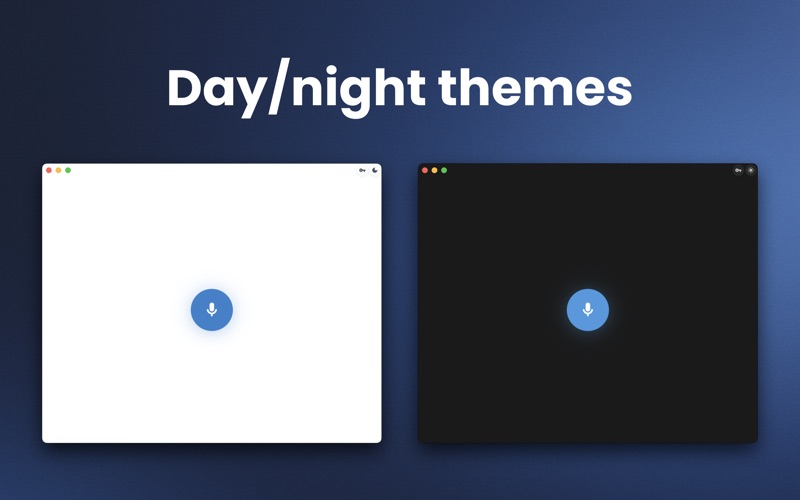
- Minimalist UI — Professional, distraction-free design with light and dark themes.
- Fast Clipboard Workflow — Copy to clipboard in one click, ready for immediate use.
Perfect for Developers and Cody Users
If you use AI coding assistants like Cody, SpeechToPrompt is the missing link. Dictate your task, bug report, or feature request, and get it instantly formatted for your dev tool of choice. No typing. No messy formatting. Just clean, organized prompts ready to paste.
Why You’ll Love It
- Saves Time — Speak instead of type, and skip manual formatting.
- Keeps You in Flow — No switching between apps to clean up your text.
- Adapts to You — Templates for every workflow, from code reviews to creative projects.
Use Cases
- Writing AI-ready prompts for coding tools
- Preparing pull request descriptions
- Documenting bugs or features during a meeting
- Brainstorming ideas without losing focus
- Creating structured meeting notes
- Drafting content hands-free
Privacy & Security
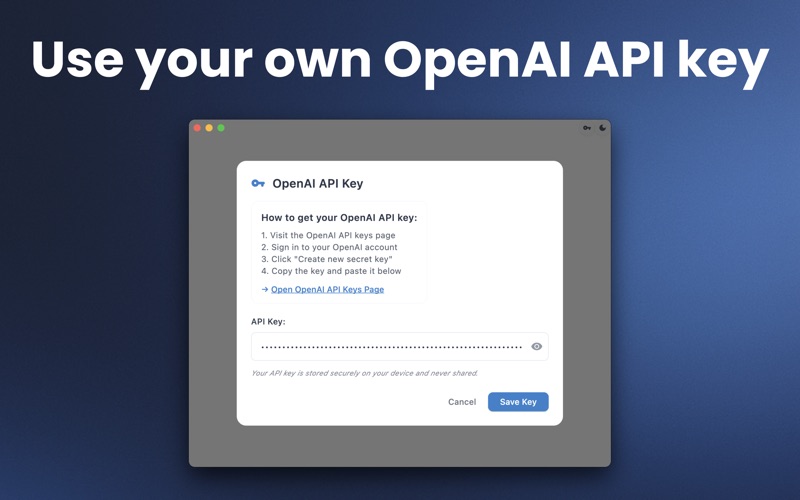
- Audio is processed securely via OpenAI’s APIs.
- Your templates are stored locally on your Mac.
- No permanent storage of your transcripts.
Requirements
- macOS 10.13 or later
- Microphone access for recording
- Internet connection for transcription & organization
SpeechToPrompt is built for people who want to think out loud, capture ideas instantly, and get perfectly formatted text without the friction. Whether you’re a developer, content creator, or someone who just prefers talking to typing — this is the fastest way to go from thought to action.