
iPhone Screenshots





Description
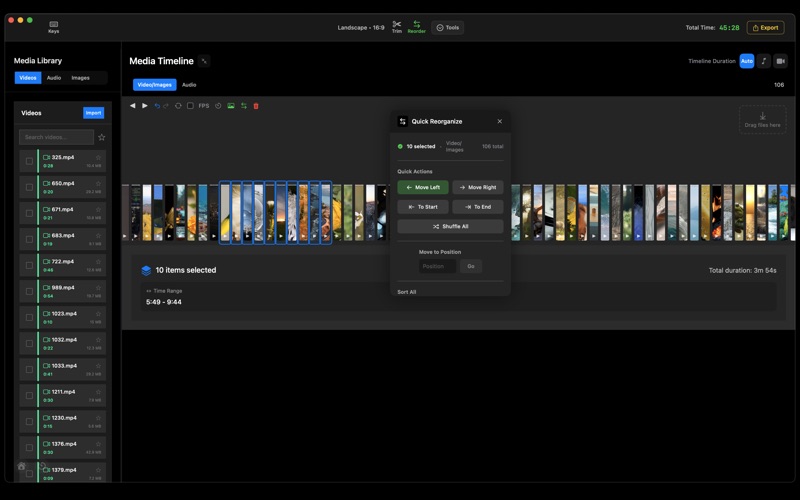
One-time purchase, no cloud services, and no subscription. Unlike full-scale video editors, ClipBatch takes a playlist-style approach to timelines. Each clip is represented as a vertical bar, which removes gaps entirely and keeps the timeline automatically organized in real time. This makes it extremely fast to reorder clips, apply changes across all segments with one click, and see your entire project at a glance.
Stop editing one video at a time. ClipBatch lets you process hundreds of clips in a single session — organize, filter, trim, and export to YouTube, TikTok, and Instagram formats simultaneously. Built for content creators who work with lots of footage. Everything stays local on your Mac; no cloud services.
I originally built it to solve my own challenge of importing, organizing, and exporting hundreds of clips in a single timeline — and over time it developed into a focused set of tools optimized for speed and automation rather than traditional editing.
One of ClipBatch’s core strengths is its robust batch export engine. You can export an entire timeline — or each segment as separate files — across up to 15 aspect ratios in a single process, and it has been stress-tested with timelines of up to 500 clips.
ClipBatch isn’t meant to replace professional editors, and it doesn’t include advanced features like color grading. Instead, it’s built for creators who value speed, organization, and high-volume output, and I’m continuing to expand it with new features and improvements over time.
Use Cases
* Creating simple, fast video compilations
* Batch exporting timelines or individual clips across multiple aspect ratios
* Publishing clips to platforms such as YouTube, TikTok, and Instagram
* Repurposing content across multiple platforms
If you’d like to dive deeper into the technical details, keep reading below.
Timeline and Organization
* Fast reordering one or many clips at once, including sending a selected group to a specific position in the timeline.
* Sort the entire timeline by duration, filename, or random shuffle (ascending or descending).
* Drag and drop multiple files into the timeline; clips are placed automatically with no manual alignment.
Editing and Trimming
* Trim start and end times for clips, with the option to apply the same trim to all clips in one action.
* Video and embedded audio trim together automatically to stay in sync.
* External audio is managed on a separate audio-track timeline.
Exporting
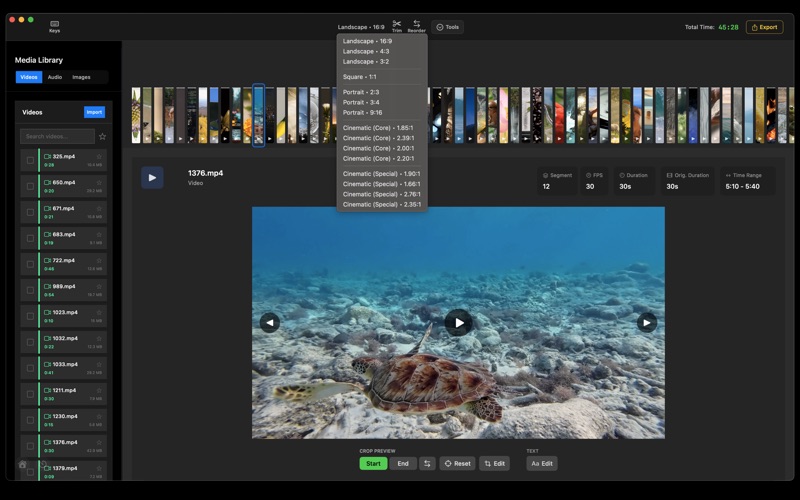
* Export to up to 15 aspect ratios, including cinematic formats such as 1.85, 2.00, 2.20, 2.39, and 2.76.
* Batch export the entire timeline across multiple aspect ratios in one run.
* Per-clip batch export to generate separate files for each segment.
* Export custom selections (only chosen clips when needed).
Filtering and Metadata
* Filter clips by frame rate or color labels.
* Add notes and metadata to individual clips, with optional inclusion in exported files.
Cropping and Framing
* Set crop positions and zoom levels for start and end frames with precise controls.
* Tools for centering and reframing clips across segments when needed.
Workflow Tools
* 40+ Quick Keys for faster navigation and editing.
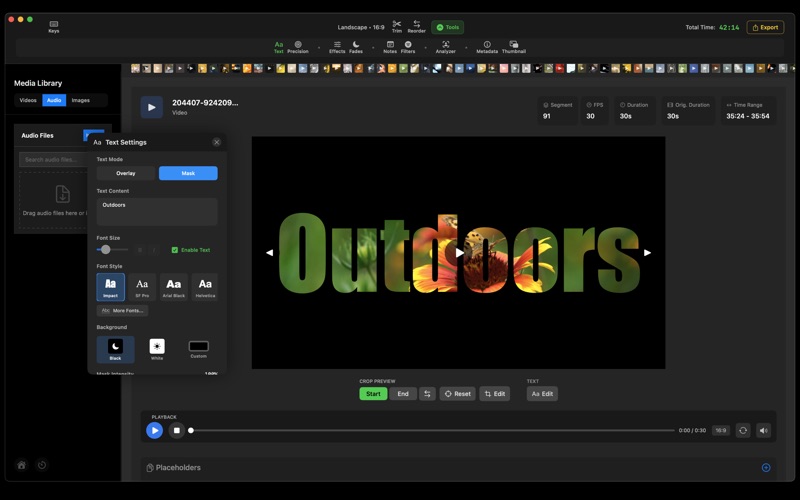
* Basic text overlay tools for adding labels or simple titles.
* Placeholder clips for planning and layout workflows.
Batch Analysis
* Batch analysis tools set center points of interest for cropping across all clips in the timeline; zoom can then be adjusted manually.
System Requirements
Apple Silicon Mac (M1, M2, M3, or M4)
macOS 15.0 or later
Apple Silicon Optimized — Powered by Metal + multi-core CPUs.
Local Processing — Everything stays on your Mac; no cloud uploads.