
iPhone Screenshots


Description
ShotScreen revolutionizes the way you capture and manage
screenshots on macOS. With its innovative floating thumbnail
system and intelligent action grid, taking and sharing
screenshots has never been faster or more intuitive.
KEY FEATURES:
• FLOATING THUMBNAIL PREVIEW
See your screenshot instantly in a non-intrusive floating
preview. Drag to move, click to expand, or let it auto-hide
based on your preferences.
• SMART ACTION GRID
Simply drag your screenshot thumbnail to reveal a grid of
quick actions: Save, Copy, Share, Rename, Remove Background,
Extract Text (OCR), and more.
• SCROLL CAPTURE
Capture entire webpages, long documents, or chat
conversations with our advanced scrolling screenshot feature.
• CUSTOMIZABLE SHORTCUTS
Set your own keyboard shortcuts for different capture modes:
area, window, screen, or all screens at once.
• MULTI-MONITOR SUPPORT
Seamlessly works across all your displays with intelligent
thumbnail positioning.
• STASH FEATURE
Temporarily store multiple screenshots and images for quick
access and batch operations.
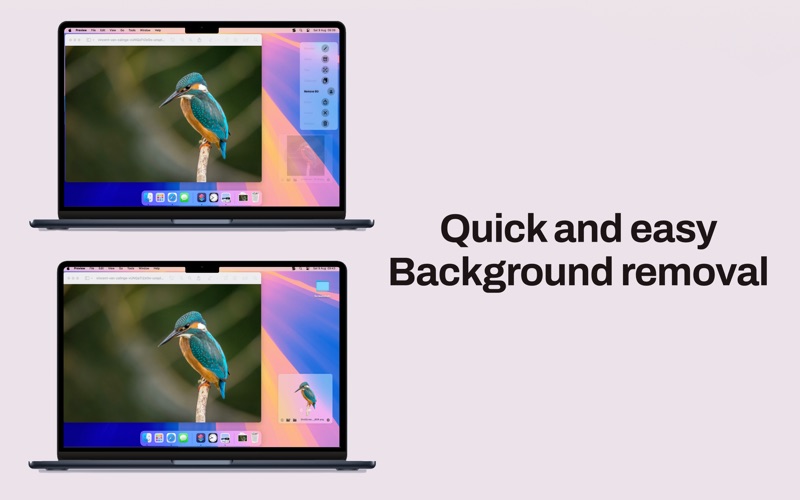
• BACKGROUND REMOVAL
Remove backgrounds from images instantly with AI-powered
processing.
• TEXT EXTRACTION (OCR)
Extract text from any screenshot with high accuracy - perfect
for capturing non-selectable text.
• INSTANT SHARING
Share directly to any app or service through macOS native
sharing, or drag-and-drop to any application.
• SMART FILE NAMING
Automatically names your screenshots with customizable
patterns including date, time, and application name.
Perfect for developers, designers, content creators,
educators, and anyone who needs powerful screenshot
capabilities integrated seamlessly into their workflow.