
iPhone Screenshots


Description
** Show your journey. Relive your memories.
The easiest way to view photos, run slideshows, and see where they were taken - all in one app.
Experience your travels as a route - not as a folder.
** Why you'll love it
Turn your photo library into an interactive travel diary. Browse, zoom, and relive each trip - complete with a map of every location.
** Feature Highlights **
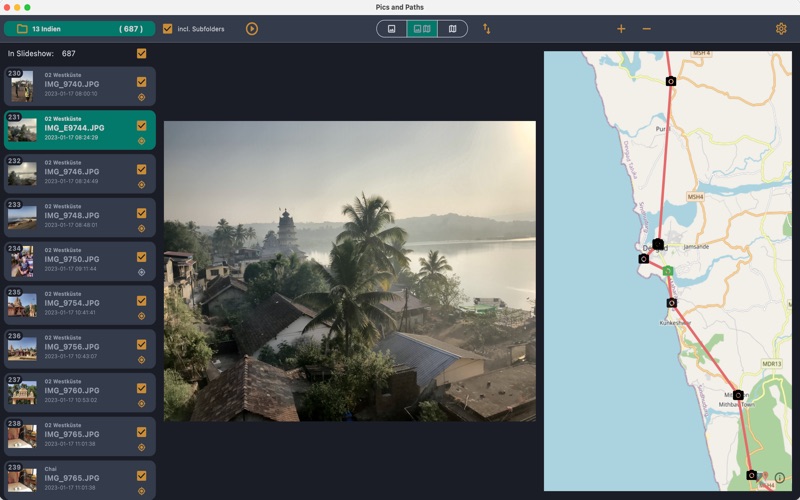
** Photo viewer & image browser
Open any folder (or subfolders) and view photos sorted by date (or name).
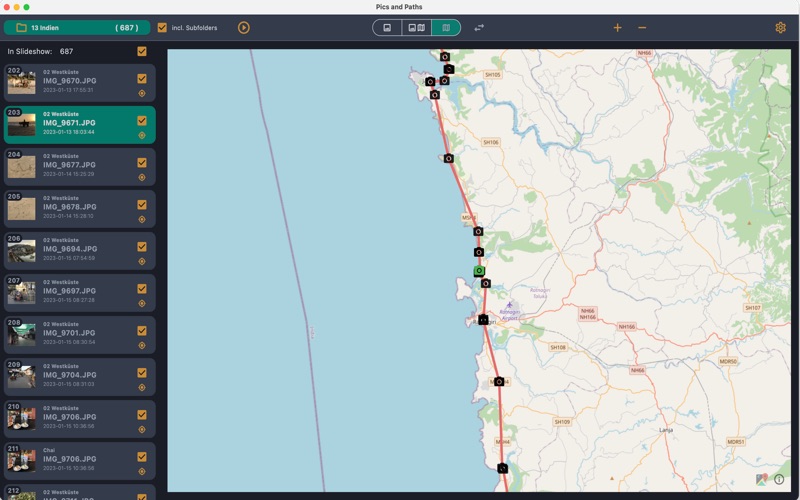
** Interactive map with GPS photo locations
See where each photo was taken, connected by a travel route line.
** Fast, smooth navigation
Use arrow keys to browse instantly. Zoom the map with + and -.
** Map-to-photo sync
Click a location on the map to jump straight to the matching photo.
** Fullscreen photo slideshow
Play a slideshow with smooth transitions and animated map jumps.
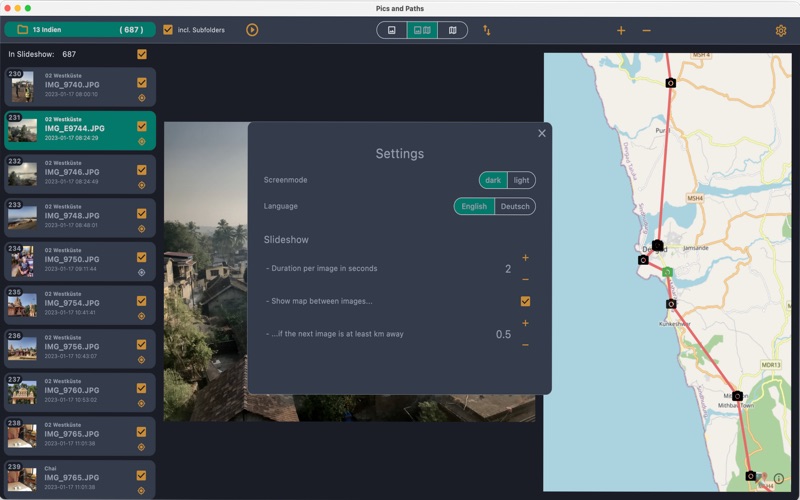
** Custom settings
Set photo display time, control when the map appears, switch between light and dark mode, change the sorting and the language (English and German).
** Quick operation with hotkeys
O - open folder
Arrow down/up - next/previous photo
+/- - zoom map in and out
Space - start (and pause) slideshow
1/2/3 - photo only / photo and map / map only
S - settings
** Please note **
Map locations require GPS data in your image files (common in smartphones and modern cameras).
If a photo was edited or shared through certain apps, the GPS data may be missing.
The most commonly used image formats can be displayed: jpg, png, gif, bmp, webp, dng.
** No clutter, no complex menus
Just your photos, your travels, your memories.
No ads. No subscriptions. No in-app purchases.
And we never collect or store your personal data.