
iPhone Screenshots


Description
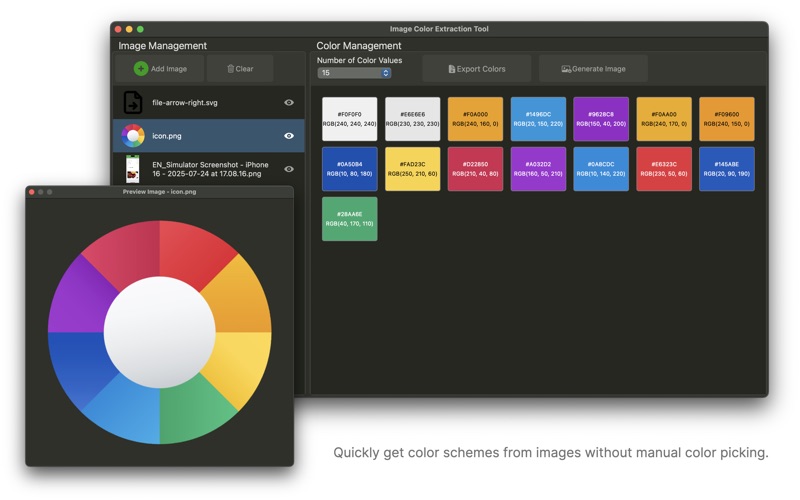
This image color extraction tool APP supports extracting the dominant color values from images, providing various color formats (HEX, RGB, SwiftUI, UIKit, etc.), and allows one-click copying or exporting, making it convenient for designers and developers to quickly obtain and use color codes, thereby improving work efficiency.
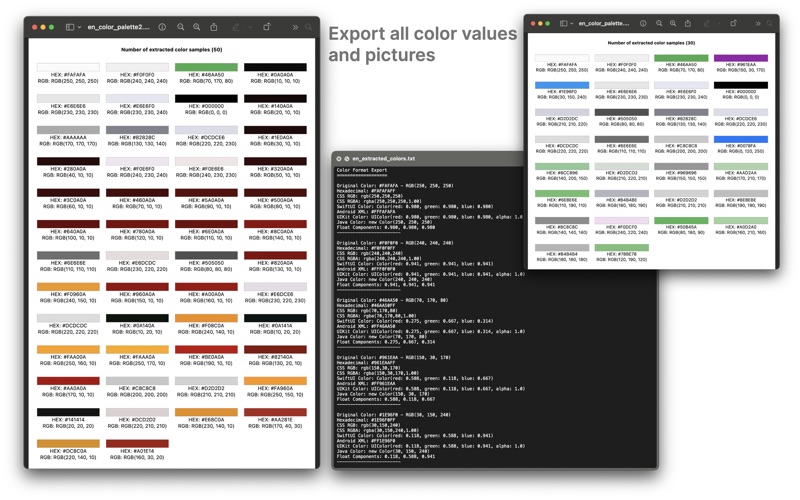
It supports selecting multiple image files (JPG/PNG/BMP/TIFF, etc.), automatically analyzes the dominant colors in images (supports extracting 5/10/20/50 colors), and exports color data as text files or generates images.
The extracted color values are displayed in a grid, and clicking a color block automatically copies the hexadecimal value to the clipboard.
Quickly obtain image color schemes without manual color picking.
【Main Features】
Extract primary colors from images, supporting custom selection of 5 to 50 colors.
Provide multiple color formats (HEX, RGB, SwiftUI, UIKit, Android XML, CSS, etc.) for developers' convenience.
Support right-click menu to copy individual color values in different formats, as well as one-click copying of all formats.
Support viewing, sorting, and exporting extracted color data.
Support batch importing multiple images and switching between them to extract colors.
Support image preview.
Support exporting and saving for future use.
Export features:
TXT export: export all color values (including multiple formats).
PNG export: generate a color palette image with a title and the number of color values.