iPhone Screenshots




Description
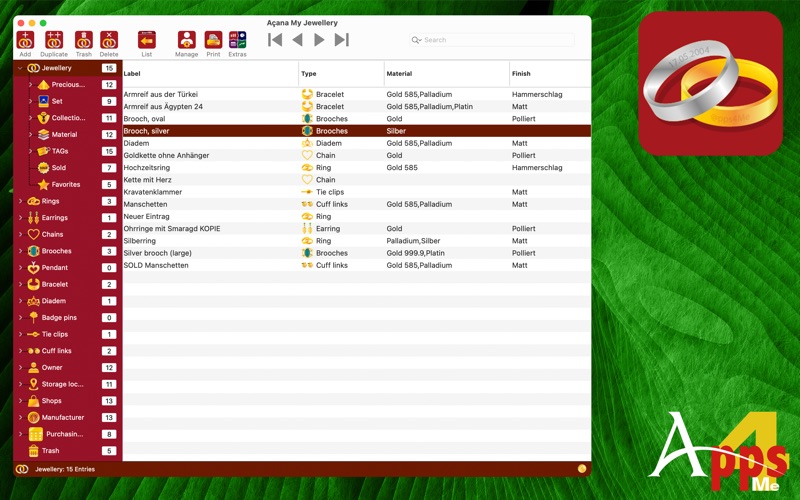
With “Açana My Jewellery,” you can manage your jewellery. This gives you a complete overview of your jewellery collection, including its total value and where it is stored.
• Subdivision into the following types
• Rings
• Earrings
• Necklaces
• Brooches
• Pendants
• Bangles
• Tiaras
• Pins
• Tie clips
• Cufflinks
• A title picture can be assigned to each entry
• Any number of additional pictures can be added to each entry
• Any number of attachments can be added to each entry
• Import pictures, sketches or PDF documents from your iOS device (iPhone or iPad) in the following formats:
• PDF
• PNG
• JPEG
• Import via iOS device can be used for the following areas:
• As title picture
• As additional picture
• As attachment
• Easy data exchange of all tables via the clipboard to all Office applications (Excel®, LibreOffice®, Numbers®, etc.)
• List of all entries with all details
• Graphical evaluation
• Current value
• Total purchase surcharge per type
• Total sales price per type
• Sales per supplier
• Sales per manufacturer
• Export of the evaluation in the following formats
• BMP, GIF, JPG, JPEG2000, PNG, TGA, TIFF, WebP
• PDF, SVG
• Excel® XLSX
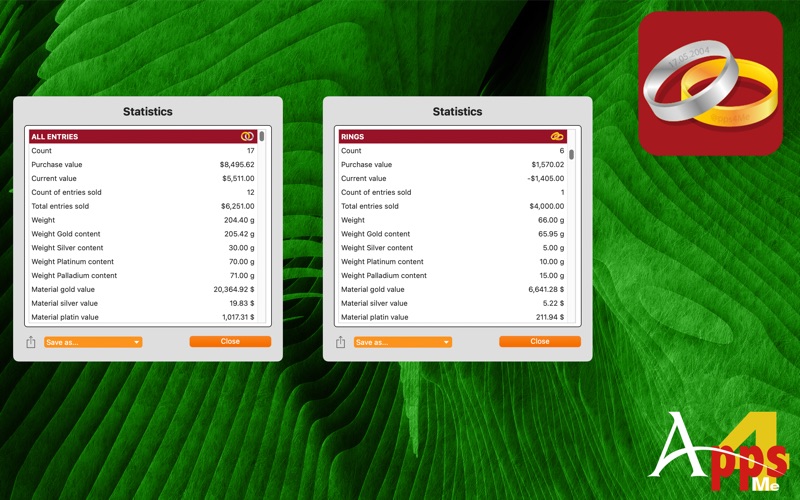
• Statistics
• All entries and the following types
• Rings
• Earrings
• Necklaces
• Brooches
• Pendants
• Bangles
• Tiaras
• Pins
• Tie clips
• Cufflinks
• Details of statistics
• Number of entries
• Purchase value of entries
• Current value of entries
• Number of entries sold
• Total entries sold
• Weight of entries
• Weight of gold content of entries
• Weight of silver content of entries
• Weight of platinum content of entries
• Weight of palladium content of entries
• Material value of gold
• Material value of silver
• Material value of platinum
• Material value of palladium
• Profit from entries
• Increase in value of entries
• Increase in value of entries in percent
• The statistics can be saved in the following formats:
• TXT -> Text file
• CSV -> Comma-separated text file
• PDF -> Adobe® PDF file
• XLSX -> Excel® XLSX file
• DOCX -> Word® DOCX file
• Overview of all nominal units used
• Number of different entries
• Number of all entries
• Total per unit
• Overview of current prices for precious metals in EUR/USD (provided by GOLD.de)
• Gold
• Silver
• Platinum
• Palladium
• Current exchange rate EURO > USD (provided by GOLD.de)
• Data import and export in format
• CSV
• Excel® XLSX
• Save details in the following formats
• Adobe® PDF
• Word® DOCX
• Excel® XLSX
• TXT
• Print
• Freely configurable list
• Details with up to four pictures
• Easy data backup and restoration of all data (even without TimeMachine®)
• Share via all sharing services available in the system (email, messages, etc.)
• Support for
• Dark Mode
• Retina display
• Image Playground (create pictures with AI)
• Wrting tools
Features
• Selection categories
• Rings
• Earrings
• Necklaces
• Brooches
• Pendants
• Bangles
• Tiaras
• Pins
• Tie clips
• Cufflinks
• Owner
• Storage location
• Suppliers
• Manufacturers
• Year of purchase
• Year of issue
• Trash
Enter all data
• General
• Name
• Description
• Type
• Favorites
• Material
• Finish
• Inner profile
• Outer profile
• Gemstones
• Number of gemstones
• Carats
• Condition
• Clasp
• Set
• Collection
• Engraving
• Storage location
• Manufacturer
• URL
• TAGs
• Attachments
Manage attachments
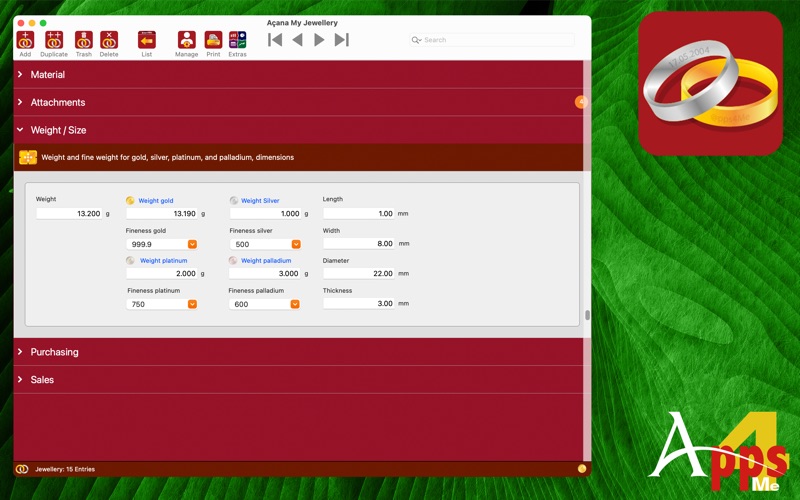
• Weight / Size
• Weight
• Gold
• Silver
• Platinum
• Palladium
• Free weight Gold
• Gold
• Silver
• Platinum
• Palladium
• Length
• Width
• Thickness
• Diameter
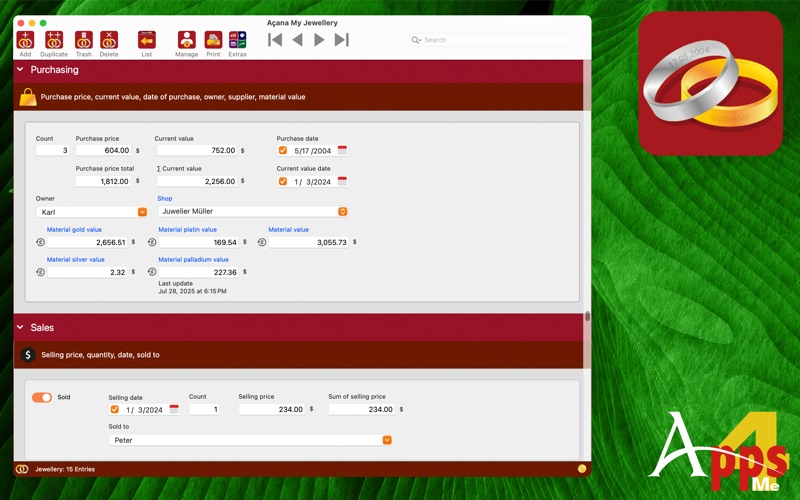
• Purchase
• Quantity
• Purchase price
• Total purchase price
• Purchase date
• Current value
• Total current value
• Date of current value
• Owner
• Supplier
• Material value of gold, silver, platinum, palladium (automatically calculated based on current precious metal prices)
• Total material value (automatically calculated based on current prices for precious metals)
• Sale
• Date of sale
• Quantity
• Sale price
• Total sale price
• Sold to