
iPhone Screenshots


Description
Do you prefer native functionality? Do you seek a pure system? Do you favor simple operations?
Now, TripleClip is here!
The greatest significance of TripleClip lies in its perfect complement to macOS's native clipboard functionality. It provides you with two additional copy records, allowing you to paste as easily as with Cmd+V. You can use your custom shortcuts to directly paste the previous record, and the one before that!
As its name implies, TripleClip expands your system-level clipboard operations to three. Three records are just right, sufficient for most daily scenarios, without causing memory confusion.
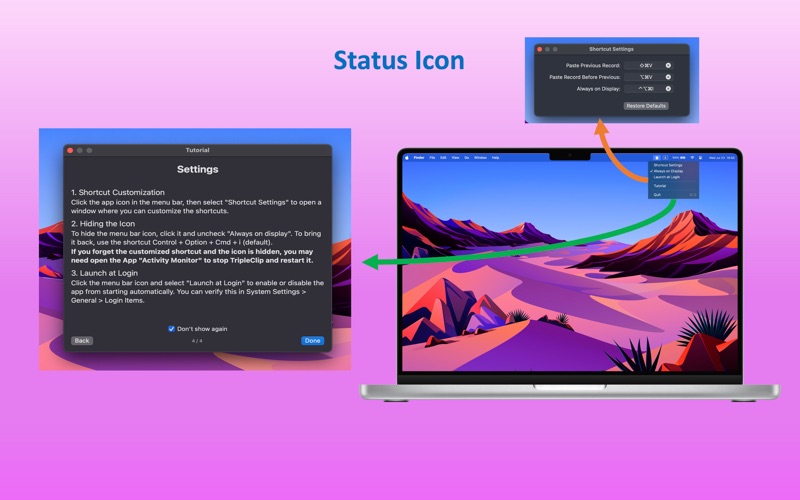
More importantly, TripleClip, like the system's copy function, does not require a persistent graphical interface. Unless you choose to keep the status bar icon visible, TripleClip will disappear from your sight, running silently in the background without disturbing your focus, providing you with an immersive, seamless experience.
Whether it's code, text, or images, TripleClip makes your clipboard management incredibly simple and efficient. Experience it now and make your Mac workflow as smooth as silk!
Core Features:
Three Records: Current record (Cmd+V, system), previous record (Cmd+Shift+V, custom), and the record before that (Cmd+Option+V, custom).
Seamless Design: Paste directly with shortcuts like the system's copy function, no graphical interface interference; runs silently in the background, consuming minimal system resources.
Tips: Go to "Settings App -> Privacy and Security -> Accessibility" and enable permissions for TripleClip to use the paste function.