
iPhone Screenshots


Description
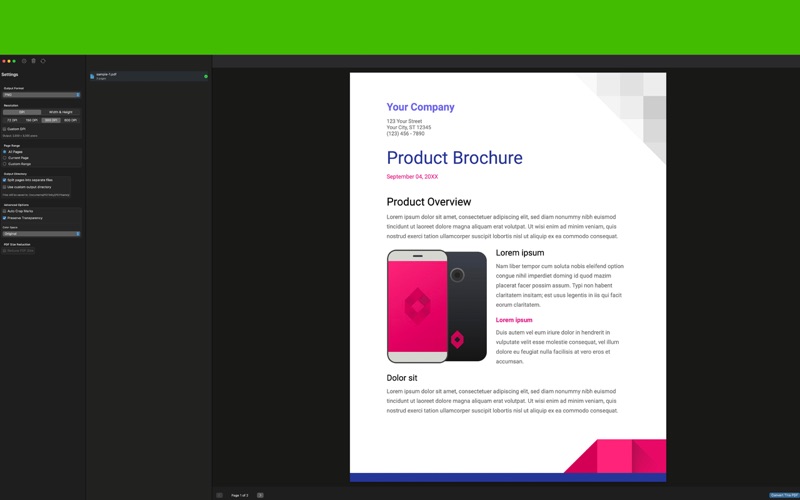
Transform your PDF documents into high-quality images with PDFinity – the fast, reliable, and intuitive PDF converter designed exclusively for macOS.
Whether you need to convert a single page or an entire document, PDFinity makes the process effortless with its clean, native macOS interface and powerful conversion engine.
KEY FEATURES
• Multiple Format Support - Export to PNG, JPEG, TIFF, BMP, and GIF formats • Batch Processing - Convert multiple PDFs simultaneously with just a few clicks • Page Selection - Choose specific pages or page ranges (e.g., "1-3, 5, 7-10") • Quality Control - Adjust DPI settings from 72 to 600 for perfect output quality • Smart Organization - Automatically organizes converted files in your Documents folder • Drag & Drop - Simply drag PDFs into the app to start converting • Native macOS - Built with SwiftUI for seamless integration with your Mac
PERFECT FOR
• Creating image previews of PDF documents • Extracting pages for presentations • Converting PDF slides to images for social media • Archiving documents in image format • Preparing PDFs for web display • Converting technical drawings and diagrams
SIMPLE WORKFLOW
Drag and drop your PDFs or use the Add Files button
Select your preferred image format and quality settings
Choose specific pages if needed
Click Convert and let PDFinity do the rest
WHY PDFINITY?
No subscriptions or hidden fees – one-time purchase
Works offline – no internet connection required
Privacy focused – your files never leave your Mac
Optimized for Apple Silicon and Intel Macs
Regular updates and improvements
Clean, ad-free experience
PDFinity respects your workflow and integrates seamlessly with macOS. All converted files are saved to a dedicated "PDF Conversions" folder in your Documents, keeping your files organized and easy to find.
Built by professionals for professionals, PDFinity delivers consistent, high-quality results every time.
System Requirements: macOS 12.0 or later