
iPhone Screenshots


Description
→ Edit text without leaving the application
Tired of copying text back and forth between your browser and editor just to correct a section? Inlaider is a lightweight application that allows you to process selected text directly where you work – quickly, intuitively, and without distractions.
? How it works
• Select any text (e.g., in a form, email, notes)
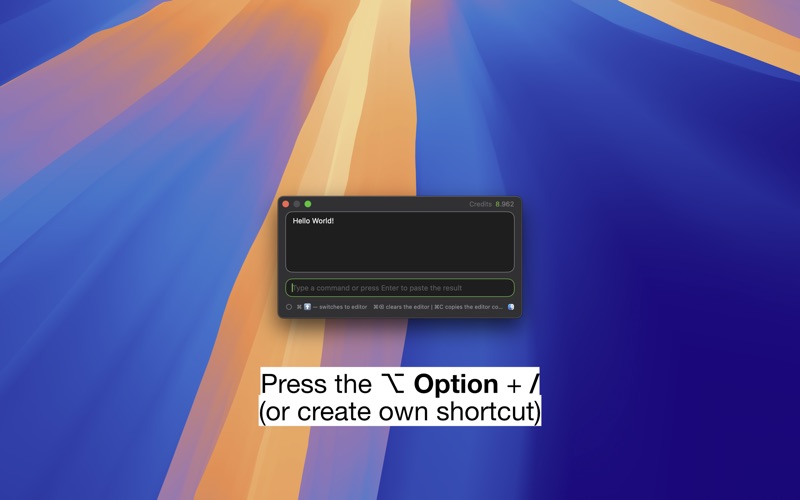
• Press the shortcut ⌥ Option + /
• Enter a command, e.g., "smooth English" or "/emoji"
• Press Enter — done!
The text will be automatically replaced in the source or copied to the clipboard if that's not possible.
↖ Features
• Translate, shorten, add emojis, or run your own commands
• Create your own identities and respond on forums and chats
• Built-in prompt editor with the most popular commands
• Works in any application with a typical text field
• Minimalist, fast, and unobtrusive
@ Privacy
• Does not save message history
• Sends data only with your approval (you know what happens to your text)
• Support for custom API keys for GPT models:
Anthropic, DeepSeek, Gemini, Mistral, OpenAI, Perplexity
# Offline features (without AI)
• .uppercase • .lowercase • .capitalize
• .reverse • .sort • .trim • .unique • .removeEmptyLines
▭ Requirements
• macOS 15 or later
• (Optional) Accessibility permission — for automatic pasting of results
⇪ For geeks
Designed with a fast keyboard workflow in mind.
Open-source: github.com/cojapacze/inlaider
⊙ Ready to work in seconds.
⤴ Edit faster, write better.
— With respect for privacy.