
iPhone Screenshots


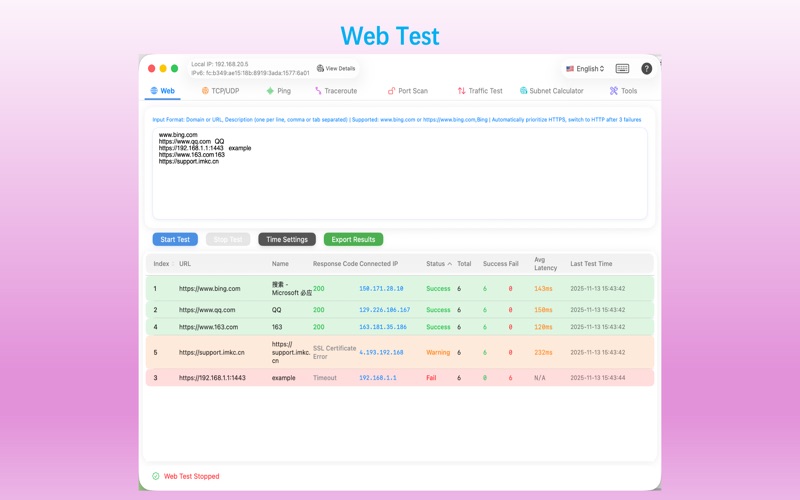


Description
# Core Testing Functions, supports exporting test results as PDF
1. Web Testing - Batch test website availability and response time
2. TCP/UDP Testing - Test TCP/UDP port connectivity
3. Ping Testing, IP range and subnet scanning; Traceroute - ASN, IP Location display in the paths
4. Port Scanning - Scan open ports on target hosts
5. Traffic Testing - Network traffic stress testing using SwiftNIO
6. Subnet Calculator - IPv4/IPv6 subnet calculation, CIDR conversion
# Network Toolset
1. Route Table Management - View, add, and delete system route tables
2. DNS Query - Supports various DNS record queries such as A, AAAA, CNAME, MX, TXT, etc.
3. Network Interface Monitoring - Real-time monitoring of network card traffic, showing upload/download speeds and trend graphs
4. ARP Scanning - Scan local area network devices, displaying MAC addresses, manufacturers, and hostnames
5. SSL/TLS Certificate Viewer - View website certificate information, validity period, and certificate chain
6. Wake-on-LAN - Wake up local area network devices using magic packets
7. Network Connection View - View all TCP/UDP connections and listening ports on the system
8. HTTP/HTTPS Request Tool - Similar to Postman, send HTTP requests and view responses
9. SNMP Walk tool - Traverse and query the MIB object tree of SNMP devices
10. Hash verification tool - Calculate and verify the integrity of the hash value of files or texts
11. whois domain lookup and IP location lookup, MAC address vendor lookup.
12. Cisco Password 7 decryption - Decrypt the Type 7 encrypted passwords in Cisco device configurations
# Special Features
3. Data export function, supports exporting test results as PDF