
iPhone Screenshots

Description
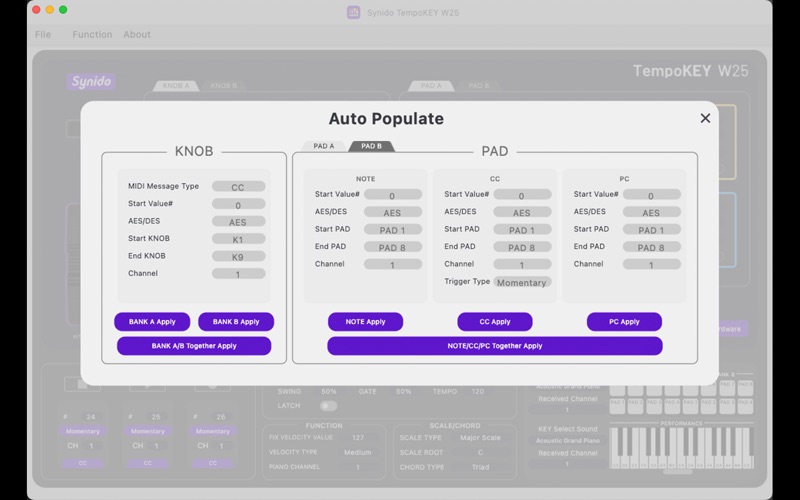
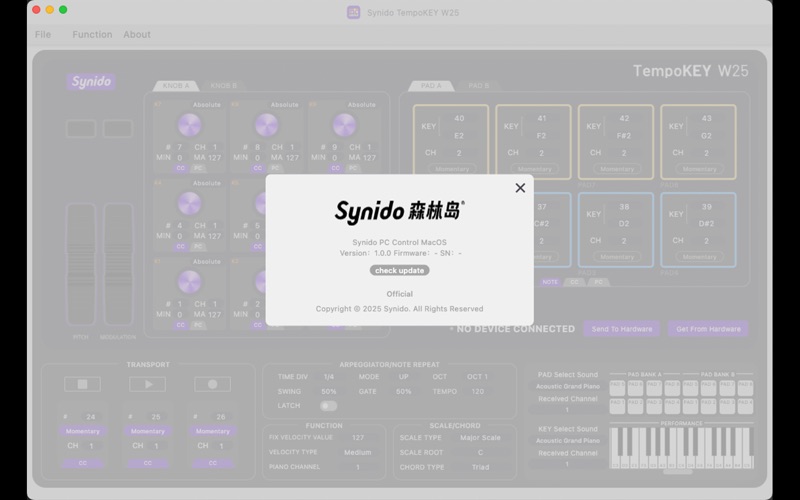
Synido TempoKEY W25 software is a function configuration platform designed by ArtFast for the Synido TempoKEY W25 MIDI keyboard controller (hardware product). It runs on personal computer devices and is used to control the functions and parameters of the MIDI controller. Its interface is clean and comfortable, allowing users to modify the MIDI controller's settings—such as pitch, scale, chords, arpeggiator, velocity mode, etc.—via skeuomorphic input controls within the software interface. The software converts these settings into the MIDI format and saves them to the computer, facilitating subsequent editing and processing. It provides users with a flexible and customizable control method, enabling them to create more diverse musical experiences and freely produce unique musical works.
Key Features:
1. 1:1 Key Position Mapping: The control panel layout corresponds exactly to the physical Synido TempoKEY W25 hardware, ensuring clear understanding of functions.
2. Parameter File Management: Supports creating and saving parameter files locally on the device or to the computer. Also allows retrieving currently preset parameters from the device.
3. Comprehensive MIDI Message Editing: Supports various MIDI message types including NOTE (Note On/Off), CC (Control Change), PC (Program Change), MMC (MIDI Machine Control), PITCH BEND, and more. Allows users to edit these messages.
4. A/B Parameter Banks: The control area and pad area support storing two sets of parameter instructions (A/B). Users can switch between banks (BANK) directly on the hardware.
5. Arpeggiator & Scale/Chord Modes: Supports adjusting arpeggiator run parameters and configuring scale and chord modes.
6. Custom Velocity & Curves: Allows customizing velocity sensitivity and adjusting velocity curve pressure thresholds.
7. Global Quick Layout: Enables rapid global configuration of an entire BANK of data for higher setup efficiency.
8. Built-in Sound Library: Includes 120 classic instrument sounds and 8 drum kits. Allows sound generation and playing directly within the software without requiring connection to external DAW software.
9. Online Firmware Updates: Allows updating the firmware of the Synido TempoKEY W25 directly through this software, eliminating the need to download updates separately from the official website.
Tips: Currently this software is only available on Mac PC and the editor only can set the Synido TempoKey, which doesn't have the function of recording and arranging music!
If you have any questions, please contact: [email protected]
Or find the answer in the FAQ on our official website:https://www.synido.com/
Follow Synido:
Instagram: https://bit.ly/3KWtc7v
Facebook: https://bit.ly/3AlISMU
Youtube : https://bit.ly/41uCajz