
iPhone Screenshots






Description
Easy to Use Network Analysis
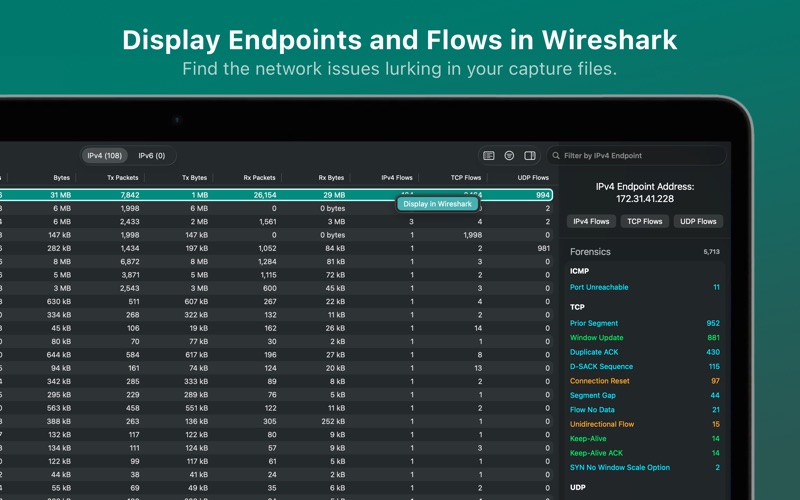
Capture File Forensics is the quick and easy way to extract network forensic information from capture files. When a capture file is loaded, CFF analyzes all packets in the file and creates the following tables:
• IP Endpoints (IPv4 and IPv6)
• IP Flows (IPv4 and IPv6)
• TCP Flows
• UDP Flows
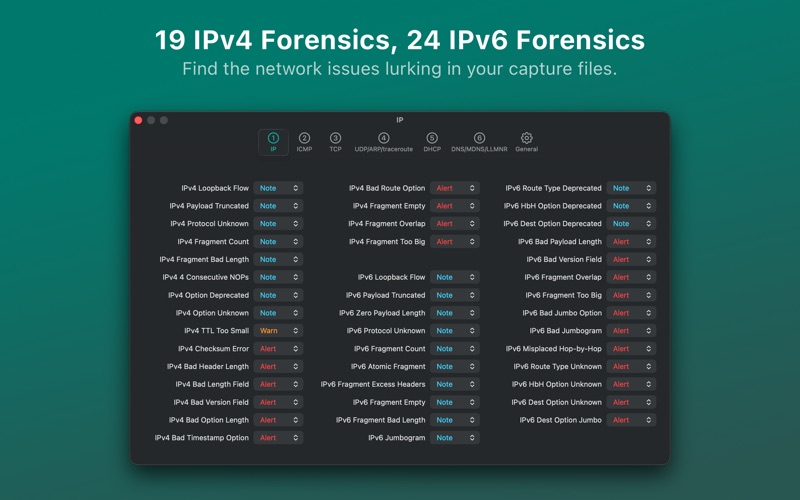
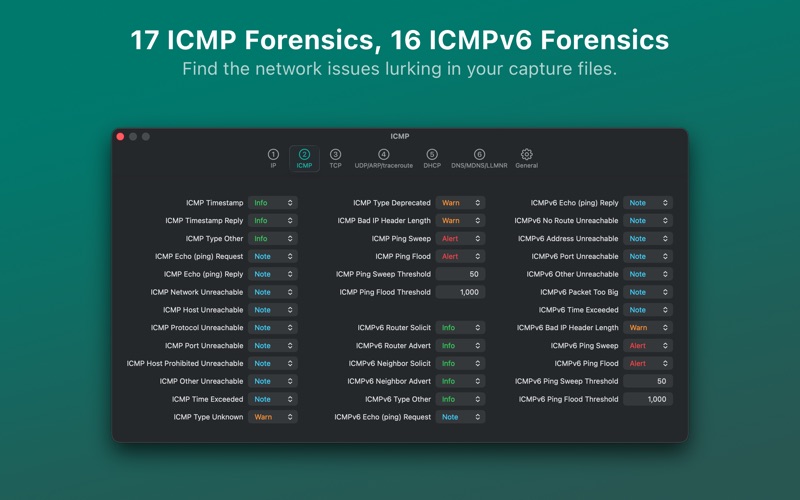
Network Forensics: CFF supports 258 forensic information elements across the ARP, IPV4, IPv6, ICMP, ICMPv6, TCP, UDP, DHCP, DHCPv6, and DNS/MDNS/LLMNR protocols and the traceroute command. All information elements can be configured to one of four levels (Info, Note, Warn, Alert) or Disabled. The “Show Definition” option explains the rationale behind each forensic element:
Features:
• Capture File Overview
• Application Protocol Distribution (TCP and UDP)
• Filter tables by IP Address
• DNS name mapping for IPv4 and IPv6 addresses
• Flow drill down by forensic item
• Launch Wireshark with display filters for Endpoints and Flows
• Configure table forensic column by any forensic item
Capture File Formats:
• pcap
• pcap.gz
• pcapng,
• pcapng.gz
• Microsoft NetMon 2.x
• Sun snoop
• Network General Sniffer (DOS)
258 Forensic Information Elements (Full List: https://peqapps.com/cff-press-kit):
• 11 ARP
• 19 IPv4
• 24 IPv6
• 17 ICMP
• 16 ICMPv6
• 47 TCP
• 10 UDP
• 23 DHCP
• 27 DHCPv6
• 52 DNS/MDNS/LLMNR
• 12 traceroute
_________________
Our only goal is to make an excellent network analysis app for vou.
Capture File Forensics collects no user data or analytics, and has no subscriptions or in-app purchases . Just a one-time payment — all future updates included.