
iPhone Screenshots

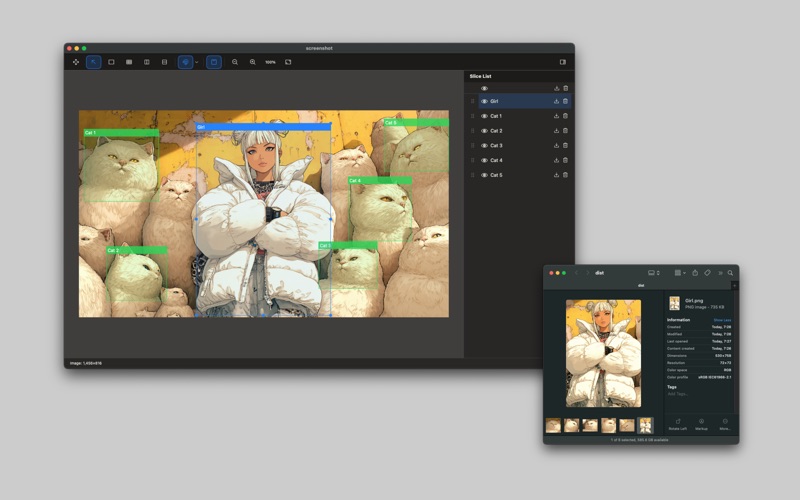
Description
Blayz is a powerful yet simple macOS application designed to streamline your image slicing workflow.
# Main Features
• Drag & Drop Simplicity
Simply drag your images into Blayz to get started. No complex import dialogs or file format conversions needed.
• Slice Creation Tool
Use the rectangle tool to easily define slice areas. Slices can be named and managed, with visibility toggling available. Snap functionality ensures precise placement.
• Knife Tool
Split existing slices vertically or horizontally with a single click. Perfect for adjusting your layout.
• Grid Division
Divide selected slices into a grid by specifying horizontal and vertical divisions. Set any number from 1 to 10 for each direction to quickly create uniform grid layouts.
• Grid Snap
Enable grid snap to align your slices perfectly. Customizable grid sizes help maintain consistency across your project.
• Project Management
Save your work as Blayz project files to continue editing later. Your slice definitions, settings, and source image are preserved for future adjustments.
• Batch Export
Export all or selected slices as individual PNG files with a single click.
• PDF Export
Export all slices as a single PDF document. Perfect for combining multiple images into one file for easy sharing or printing.
• Recent Projects Menu
Quick access to your recent projects keeps your workflow moving. Jump back into any project without searching through folders.