
iPhone Screenshots



Description
Get your audio files into shape with the REALM audio tools.
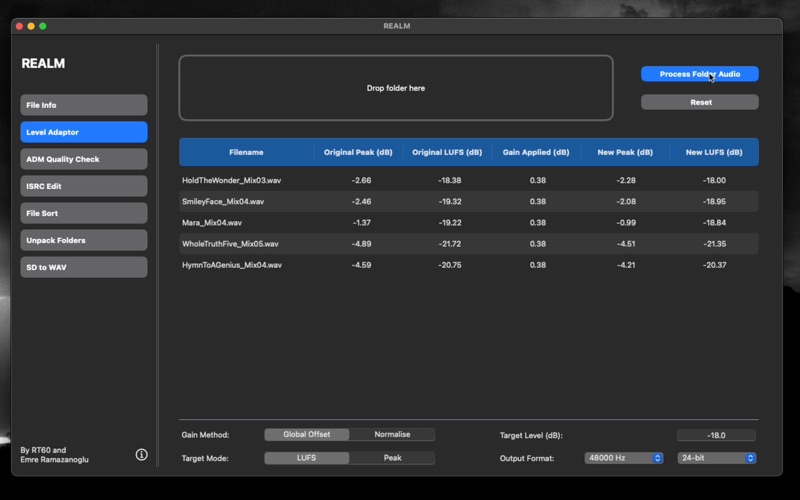
With REALM's Loudness Adaptor, you can batch convert audio files as follows:
- apply a global gain offset so that the loudest file in a batch has a specified loudness value (dB LUFS)
- apply a global gain offset so that the highest peak level in a batch is at a specified level (dB FS)
- normalise a batch of audio files to a specified loudness or peak value
- save batch audio files as specified sample rate and bit depth
For all conversions, a detailed CSV file is generated showing what gain has been applied to which audio files.
Particularly useful for:
- mixers who need to apply global gain reduction to files before mixing
- mastering engineers who want to batch convert all files to a specified loudness before applying processing and level balancing
- Dolby ATMOS and surround sound mixers who need to batch convert audio files/stems before mixing
With REALM, you can also:
- quickly get audio metadata for files and folders of audio files
- quality check Dolby Atmos ADM files to ensure they have correct LFE channels and match the sample length of stereo or binaural versions
- add ISRC data to WAV files and filenames
- automatically sort audio files into folders defined by extension/type or other metatags
- quickly unpack audio files from distributed folders into a single location
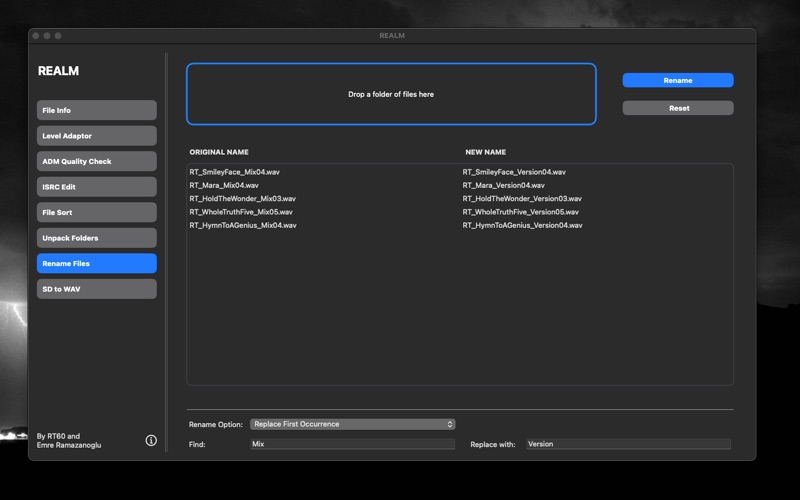
- quickly rename audio files to use a chosen naming convention
- convert old SD2 and raw PCM audio files to WAV format
Developed by RT60 and award winning mix engineer Emre Ramazanoglu (stereo and Dolby Atmos mixer for David Bowie, Brian Eno, Noel Gallagher, Richard Ashcroft).