
iPhone Screenshots

Description
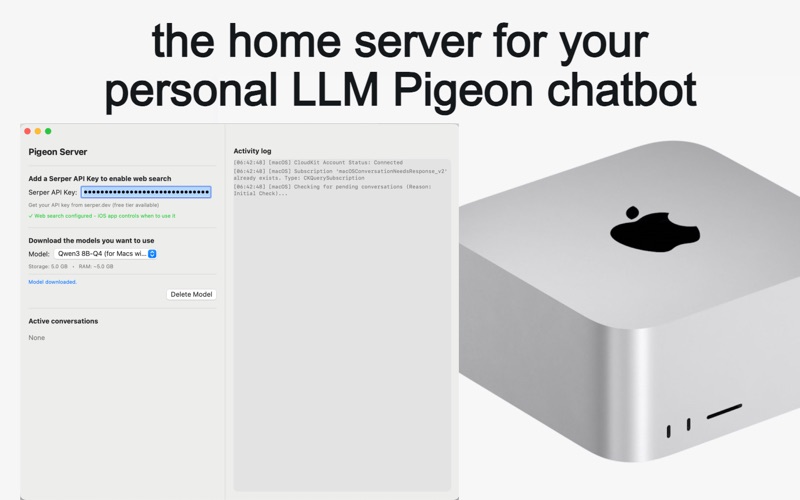
LLM Pigeon Server turns any Apple-silicon Mac into a private AI engine for all your mobile devices.
Key features
• Local inference – comes with a selection of ready-to-use models for anyone who hasn’t set up LM Studio or Ollama.
• Bring your own provider – point the server at LM Studio or Ollama and use whatever models you like.
• CloudKit sync – picks up questions from the iOS app, writes answers, and pushes them back silently.
• Optional web search – add a Serper API key so your local models can look things up online.
• Zero cost, zero data leakage – no LLM API keys, no token charges, no server fees, no third-party telemetry.
• Activity log – live view of conversation IDs, status lights for CloudKit and LLM connections, plus a rolling debug log.
Workflow
1. Install and launch LLM Pigeon Server.
2. Download the built-in models you want.
3. Sign in with the same iCloud account on your iPhone or iPad and start chatting in LLM Pigeon.
4. Your Mac handles each conversation in the background and syncs the replies immediately.
Privacy first
Prompts and completions never leave iCloud’s end-to-end-encrypted container. We collect no personal data, analytics, or crash reports.
Requirements
• Mac with an Apple M-series chip running macOS 14 or later
• iCloud Drive enabled
• LLM Pigeon companion app on iPhone or iPad for chat input