
iPhone Screenshots


Description
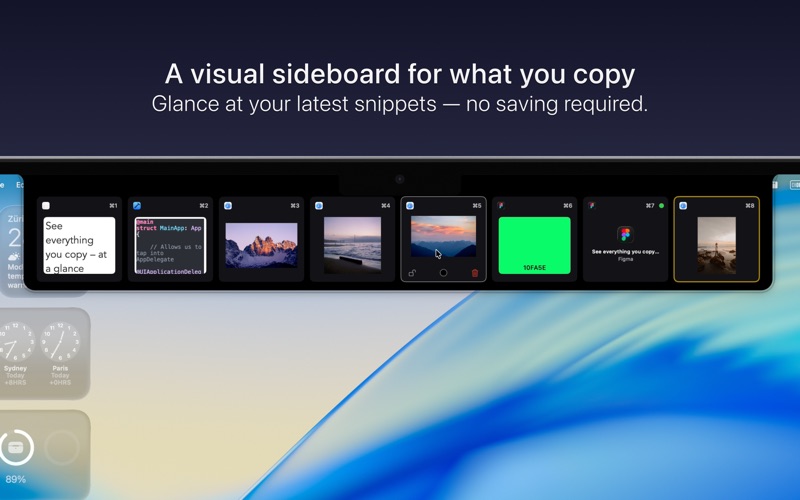
A visual sideboard for what you just copied inside your notch.
Snippet shows your most recent clipboard items – text, images, colors, files – in a clean, glanceable view from your Mac’s notch or menu bar. It’s not a history. It’s a short-term, visual space for things you’re using right now.
Need it longer? Then save it.
Everything else? Snippet keeps it within reach until you’re done.
SEE WHAT YOU JUST COPIED
• Text stays readable and sharp
• Images are scaled properly
• Colors show as live swatches
• Files display names and types
No pasting into Notes just to check what you copied.
A SIDEBOARD, NOT A HISTORY
Snippet isn’t trying to archive your clipboard.
It’s designed for the now – a flexible, temporary space.
Items stick around just long enough to act on them.
• Lock items you want to keep
• Add color labels for quick scanning
• Filter by type: text, images, files, URLs, or colors
DESIGNED FOR CREATORS
Whether you're a designer, developer, or multitasker:
Snippet helps you copy, check, and reuse snippets faster.
• Glance while working in Figma, Sketch, or Xcode
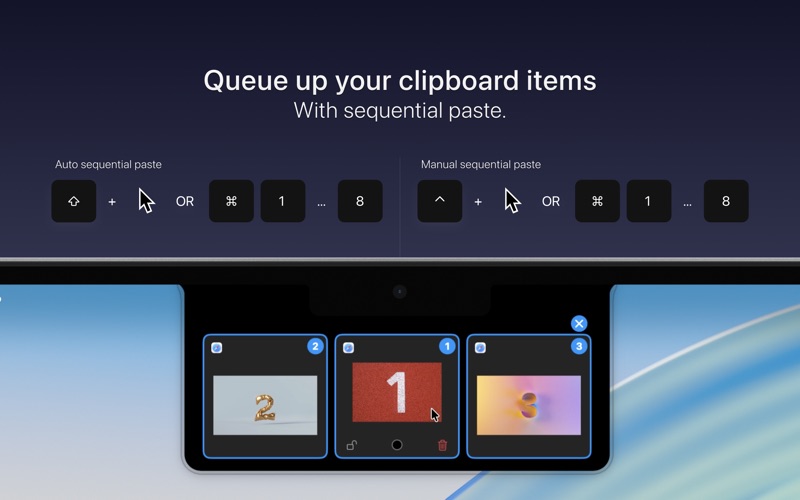
• One click to re-copy or paste
• Hover to reveal, move away to hide
• Open with keyboard shortcuts
MAC-NATIVE FEEL
• Works on all Macs — notch or no notch
• Minimal, lightweight, and fast
• Private by default — nothing leaves your device
Copy. Glance. Use. Done.
Snippet gives you a smarter way to work with what you copy — right when you need it.