
iPhone Screenshots

Description
Organize your pictures and free up space! All on your own computer - no cloud or servers needed.
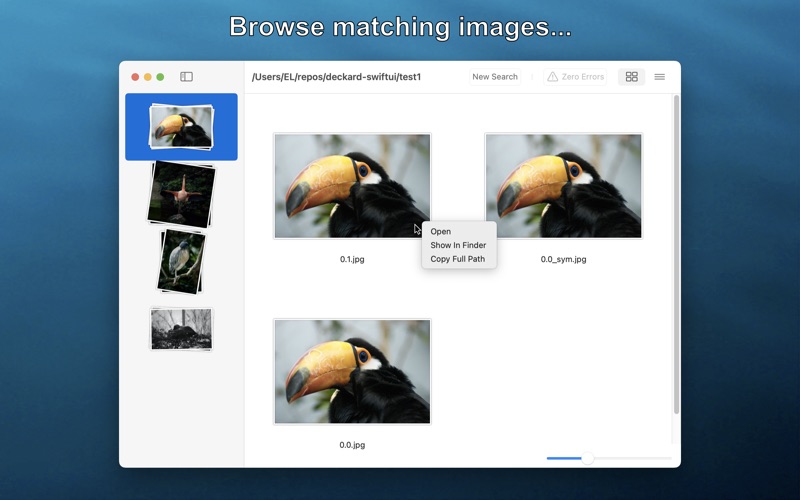
Deckard searches a folder (and all subfolders) for groups of images that look similar. It uses a "perceptual hash" - a mathematical tool that allows it to characterize the appearance of a picture and associate it with other images, even those with slight differences¹.
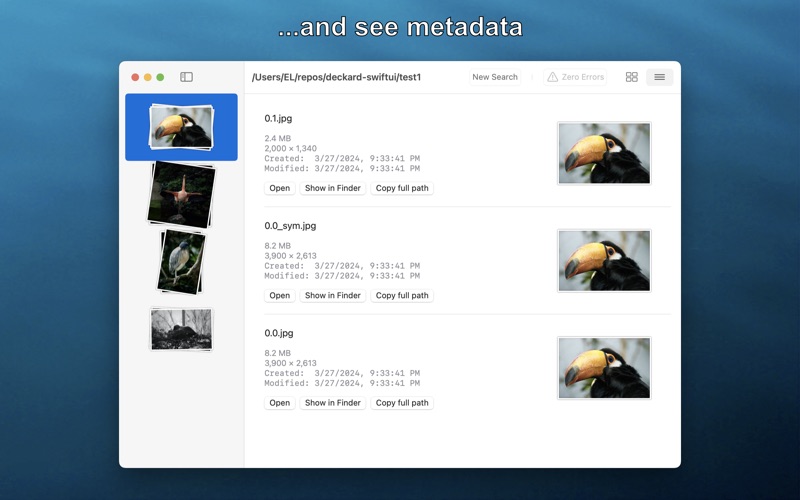
Its easy! Just drag-and-drop a folder on to the window. It will then be searched, and its images processed. Deckard uses parallel processing to search up to 24x faster! Once its done, each group of similar looking images will appear as a stack on the left pane. Click on a stack to see all of the images it contains in the main pane. In addition to viewing the images in the main pane, you can open a photo in the default app, show it in Finder, or copy it's path. The list view (reachable with the "three lines" button in the toolbar) additionally shows some of the image's metadata.
Most common image formats, such as jpeg, png, gif, tiff, webp, and heic.
Note that Deckard does not currently support Apple Photos, it is designed for examining image files in regular folders.
---
¹ This isn't a perfect process: there will always be similar pictures that are missed, and dissimilar images that are categorized together.