
iPhone Screenshots



Description
All Document Viewer & Reader & File Converter – One App for All Your Document Needs
Tired of juggling multiple apps just to read or convert documents? Say goodbye to the
hassle. All Document Viewer & File Converter is your ultimate solution for managing,
reading, editing, and converting all file types—right from your mobile device.
Whether you're dealing with PDFs, Word docs, Excel sheets, PowerPoint slides, or even
images, our app makes viewing and converting files seamless and stress-free.
All-in-One Document Reader
View and manage PDF, DOC/DOCX, XLS/XLSX, PPT, TXT, Pages, Keynote, Numbers, RTF
and more.
Clean, easy-to-navigate interface with search, zoom, and folder management support.
◆ Support All Formats – Any File Opener!
◆ PDF Reader
• PDF viewer and opener from your file manager
• Search and scroll through PDFs
• Print, share, and preview PDF files with ease
• Read PDFs like a book with a smooth interface
• Pdf converter and Pdf Reader and Pdf Viewer
◆ Word Reader – DOCX Reader and Doc to Pdf Converter
• Elegant reader screen with essential controls
• Quickly search and access any Docx file
• Convert Doc/Docx file to pdf
◆ Spreadsheet Reader – XLSX Reader
• High-quality viewer for Excel files (.xls, .xlsx, .txt)
• Smooth and fast file loading and sheet viewer
• Excel to pdf and pdf to excel also supported
◆ PPT File Opener
• View PPT files in high resolution
• Search and manage presentation files easily
• PPT reader and Viewer
• PPT file conversions to other format also supported
Powerful Document Converter
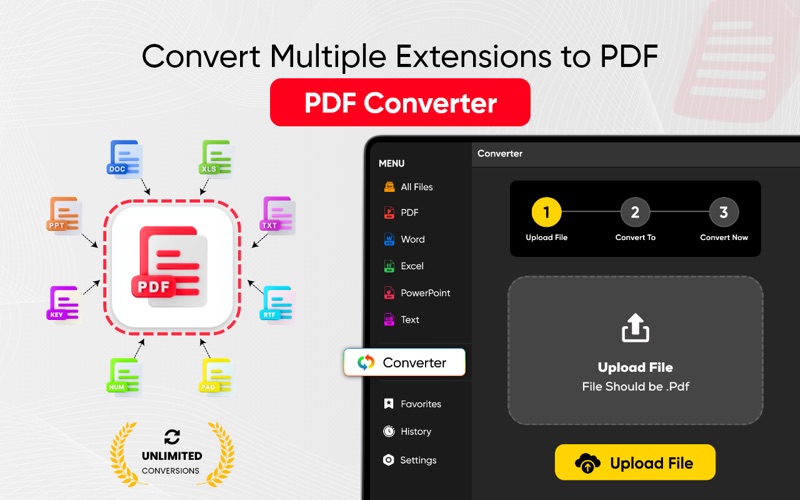
Convert files across a wide range of formats:
• PDF to Word, Excel, PPT, Images, HTML, and more
• Word to PDF, Text, HTML, Images, etc.
• Excel, PPT, Pages, Keynote, and Numbers to various formats
• Image to PDF and vice versa
Supports over 30+ file formats with smart conversion mapping!
Advanced File Tools
• Sort by size, date, name, or type
• Share documents instantly across apps
Supported File Converter Types
Documents: PDF, DOC, DOCX, TXT, RTF, HTML, ODT, EPUB, etc.
Spreadsheets: XLS, XLSX, CSV, NUMBERS
Presentations: PPT, PPTX, KEY
Images: JPG, PNG, WEBP, BMP, TIFF, HEIC, GIF, and more
Subscription Pricing and Management
Subscription prices may vary based on your country and will be converted to your local
currency at the time of purchase. Once subscribed, you can manage your subscription —
including turning off auto-renewal—through your Account Settings.
Auto-renewal will remain active and continue to charge your account unless canceled at
least 24 hours before the end of the current billing period.
Note: If you subscribe during a free trial, any unused portion of the trial will be forfeited and
cannot be reclaimed.
Privacy Policy and Terms
Privacy Policy: https://sites.google.com/view/nextgen-apps-privacy/home
Terms of Service: https://sites.google.com/view/nextgen-terms-of-use/home
Why Choose This App?
Intuitive, user-friendly UI
Safe & secure document handling
Lightweight & fast performance
Perfect for students, professionals & anyone working with digital files
“Experience smart, secure, and seamless document handling—right from your
pocket.”