
iPhone Screenshots




Description
Extensive Format Support
It can compress files into formats like ZIP, TAR, 7Z, GZ, GZIP, TGZ, BZ2, BZIP2, TBZ2, TBZ, XZ, TXZ, ZIPX, JAR, XPI, ODT, ODS, DOCX, XLSX, EPUB, WIM, SWM.
It can uncompress an even wider range of formats: 7Z, BZ2, BZIP2, TBZ2, TBZ, GZ, GZIP, TGZ, TAR, XZ, TXZ, ZIP, ZIPX, JAR, XPI, ODT, ODS, DOCX, XLSX, EPUB, APM, AR, A, DEB, LIB, ARJ, CAB, CHM, CHW, CHI, CHQ, MSI, MSP, DOC, XLS, PPT, CPIO, CRAMFS, DMG, EXT, EXT2, EXT3, EXT4, IMG, FAT, HFS, HFSX, HXS, HXI, HXR, HXQ, HXW, LIT, IHEX, ISO, LZH, LHA, LZMA, MBR, MSLZ, MUB, NSIS, NTFS, RAR, R00, RPM, PPMD, QCOW, QCOW2, QCOW2C, 001, 002, SQUASHFS, UDF, SCAP, UEFIF, VDI, VHD, VMDK, ESD, XAR, PKG, Z, TAZ. It covers almost all file types that users may need to compress or uncompress.
Encryption Support
It supports encrypting archives when compressing and uncompressing encrypted archives (only for ZIP and 7Z formats).
Convenient Operations
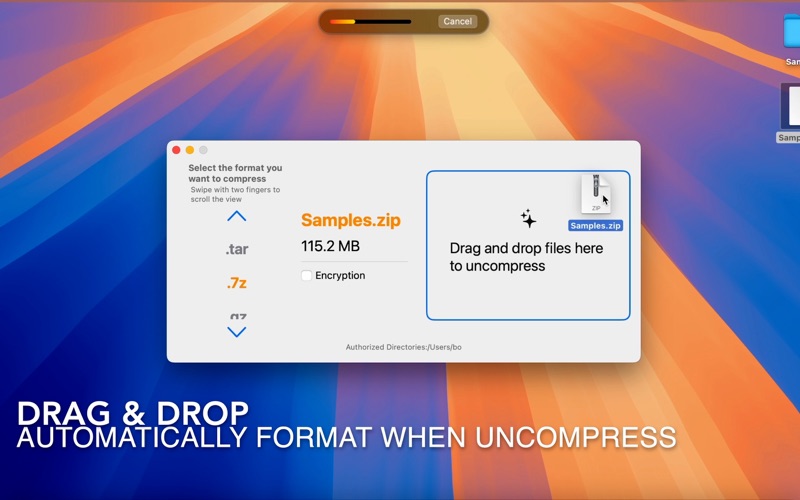
Users can enable right - click Services via "System Settings -> Keyboard -> Keyboard Shortcuts -> Services -> General Selection" to easily compress or uncompress selected files. Additionally, dragging files to the app interface simplifies the process of compressing and uncompressing files, streamlining workflows and enhancing efficiency.
Powerful Globalization
It supports over 20 languages, including Simplified Chinese, English, Arabic, Danish, etc., catering to regional user preferences and providing a seamless, language - barrier - free experience.
Sandbox Security
This app strictly adheres to sandbox (App Sandbox) security mechanisms, requesting only necessary permissions to protect user data and strictly limiting app access to ensure privacy and security.