
iPhone Screenshots



Description
Convert popup comments into clean for PDFs. Edit and format with text, fonts, and colors. Organize annotations into sections. Export or print styled directly.
Noteworthy PDF — Convert Inline Comments into Beautiful Margin Notes
Transform the way you review and style any document with Noteworthy PDF—a powerful Mac utility that takes your inline popup annotations and converts them into beautifully formatted margin notes. Whether you're editing a doc, reviewing manuscripts, or reading academic papers, Noteworthy gives you full control over the layout and appearance of your notes.
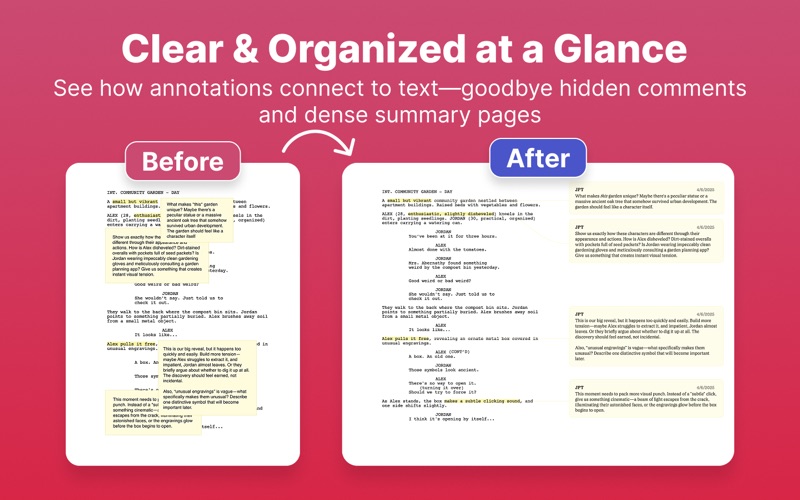
Convert Popup Comments into Clean Margin Notes
Dealing with traditional inline popup comments can be clunky and inefficient. Most readers export notes to a separate summary page, disconnecting them from the original text and disrupting your reading flow. Noteworthy PDF lets you convert these annotations into visible, sidebar-style margin notes—instantly improving readability and organization.
Powerful Free Features – No Sign-Up Required
Try the free version with a light watermark and explore deep customization features that let you take full control of how your notes appear in the final exported PDF:
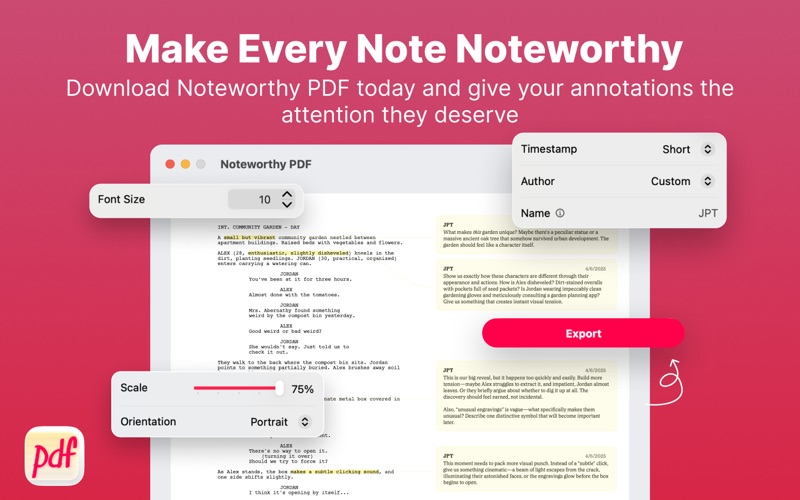
TIMESTAMP CONTROL
Hide, show, or format timestamps using full or short-date styling.
AUTHOR CUSTOMIZATION
Display the original comment author, hide the name, or use a custom alias.
FONT STYLING OPTIONS
Choose any font installed on your Mac and apply consistent font styling across all notes.
CUSTOM LAYOUT SCALING
Decide how much space the original document content takes up, giving margin notes plenty of room to breathe.
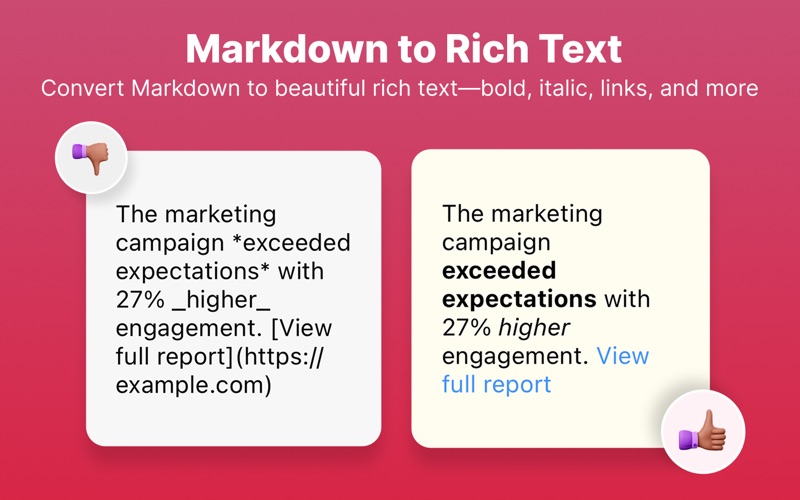
MARKDOWN TO RICH TEXT
Parse Markdown within comments to create beautifully styled rich text margin notes—bold, italic, code blocks, and more.
COMMENT CONNECTION STYLES
Visually connect your notes to the related inline content using lines or reference boxes.
Premium Features – One-Time Purchase, No Subscriptions
Unlock the full experience for just $9.99:
NOTE COLOR CUSTOMIZATION
Override all annotation colors to create a cohesive, easy-to-read visual style.
LANDSCAPE LAYOUT EXPORT
Export your PDF doc in portrait or landscape orientation—perfect for creating more margin space and larger note visibility.
Built for the Modern Mac Workflow
MAC NATIVE
Developed with SwiftUI and Apple's latest APIs, optimized for macOS 15 Sequoia and above.
PRIVATE BY DESIGN
No internet access required, no data collection—your documents stay local.
PERFECT FOR PROFESSIONALS
Whether you're annotating scripts, marking up research, or collaborating on proposals, Noteworthy PDF makes it easy to organize, format, and present your comments with style.
Make Every Note Noteworthy
Noteworthy PDF helps you do more than just read—you interact with your document in a smart, streamlined way. By converting inline comments into clean, styled margin notes, you create a reader-friendly layout that's ideal for both digital and print use.
Download Noteworthy PDF today and give your annotations the attention they deserve.
For macOS 15 Sequoia and above