
iPhone Screenshots




Description
Textly - a lightning-fast, easy to use, privacy first app designed to capture, organize, translate, and access text effortlessly. Whether you’re extracting text from a video, grabbing code from a screenshot, or saving notes from a Zoom meeting or non-editable text on your Mac screen. Textly makes capturing effortless. With a simple shortcut or a quick click, capture and extract text instantly.
CAPTURE TEXT EFFORTLESSLY
- Capture text from anywhere - Images, videos, PDFs, presentations, photos, zoom/team meetings, app screens or any other sources. No internet connection is needed.
- Supports OCR in multiple languages – Textly recognizes text in many familiar languages across the globe, including: English, French, Italian, German, Spanish, Portuguese, Chinese (Simplified & Traditional), Korean, Japanese, Ukrainian, Russian, and more!
- Instant URL actions : If a URL is detected in the captured text, Textly can copy it and open it in your browser instantly.
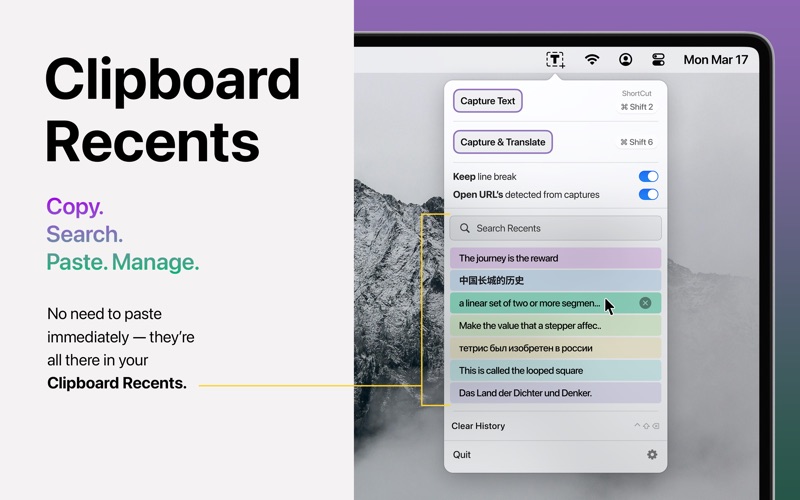
INSTANT CLIPBOARD OF COPIED TEXTS.
Never lose a copied text.
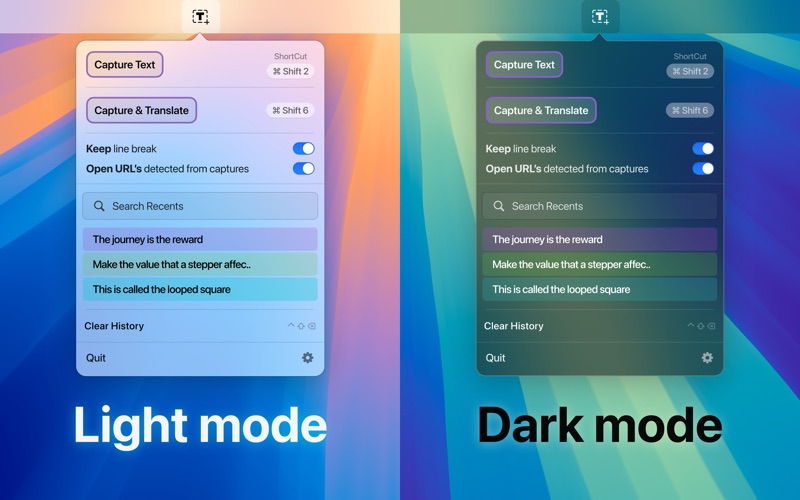
- Browse your clipboard history, with easy-to-read short previews of your text for fast retrieval.
- You can find any text you remember as copied with just a click
- Quick Search - Find your text from your clipboard history in a fraction of a second
CAPTURE & TRANSLATE
- Textly makes translating captured text fast, seamless, and private — right from your Mac.
- Powered by Apple’s native translation framework, it delivers quick, accurate translations. With support for widely spoken languages across the globe, switching between them is effortless.
- Simply use customizable hotkeys to capture any on-screen text and translate it instantly. Textly ensures your translations are always fast, secure, and ready when you need them.
- Translation is supported from MacOS 14.4 and later.
QUICK SHORTCUTS
Customizable shortcuts – Assign custom keyboard shortcuts to extract text quickly and efficiently.
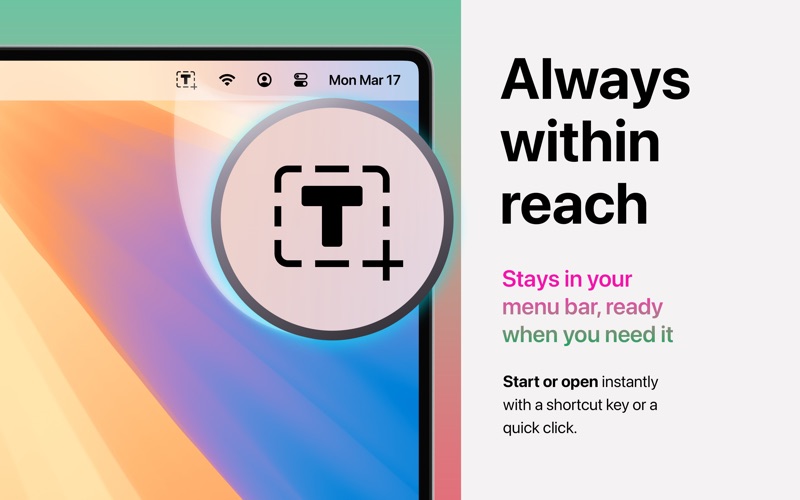
Quick access from the menu bar – One-click or shortcut activation for seamless use.
Textly app can be used completely offline. The application does not share any user data.
Whether you're a student, developer, designer, content creator, or part of a sales or support team, Textly is the ultimate productivity ally for anyone working with digital content. Transform how you capture, organize, and leverage text—effortlessly.
Textly offers a 3-day free trial, allowing you to explore all features. After the trial, you can select a 6 months subscription plan or Lifetime purchase to continue enjoying unlimited access to our premium features.
- Payment will be charged to your Apple Account upon confirmation of purchase.
- Your subscription will automatically renew unless auto-renewal is disabled at least 24 hours before the end of the current period.
- You can manage your subscription and disable auto-renewal by visiting your Apple Account Settings after purchase.
- Your Apple Account will be charged for renewal within 24 hours before the end of the current period.
- You can manage your subscription and disable auto-renewal by visiting your Apple Account Settings after purchase.
- No cancellation of the current subscription is allowed during the active subscription period.
- Any unused portion of the free trial will be forfeited once a subscription is purchased.
Privacy policy - https://www.macthru.com/privacy-policy
Terms of service - https://www.macthru.com/termscondition
For in-app purchases and subscription terms, see https://www.apple.com/legal/internet-services/itunes/dev/stdeula/