
STL File Viewer Pro
View 3D STL files and rotate models
Andeesh Mehdi Syed
iPhone Screenshots


Description
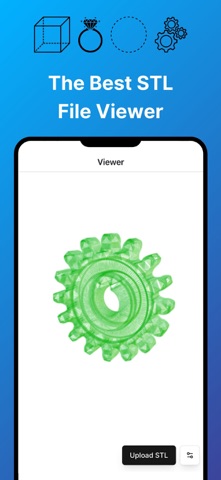
View and interact with 3D STL files. Rotate, zoom, and pan models using intuitive gestures. Inspect details with smooth 3D rendering. Open and explore jewelry designs, engineering models, and CAD files directly on iOS devices.
View, Rotate & Inspect Your 3D STL Files with Ease!
Open any STL file in seconds — no sign-up, no clutter, just your 3D model ready to explore.
STL File Viewer lets you load, rotate, zoom, and inspect 3D STL files directly on your iPhone or iPad. Built for speed, it handles everything from small parts to complex models smoothly.
Whether you're reviewing jewelry CAD files before production, checking 3D print files for errors, or inspecting engineering designs on the go — this is the fastest way to view STL files on iOS.
WHAT YOU GET:
Instant file loading — open STL files from Files, email, AirDrop, or any app
Full 360° control — rotate, zoom, and pan with intuitive touch gestures
Measure STL file distance between 2 points
Estimate STL File Weight in different materials
Sharp detail rendering
Light & dark mode — comfortable viewing anywhere
Lightweight & fast — no bloat, no lag
BUILT FOR:
- 3D printing enthusiasts previewing files before printing
- Jewelry designers reviewing CAD models
- Engineers and architects inspecting parts on the go
- Students and hobbyists exploring 3D models
No account required. Just open and view using our simple STL Viewer App.
Download now and see your CAD files the way they're meant to be seen.
Terms of Service: https://www.apple.com/legal/internet-services/itunes/dev/stdeula/