
iPhone Screenshots


Description
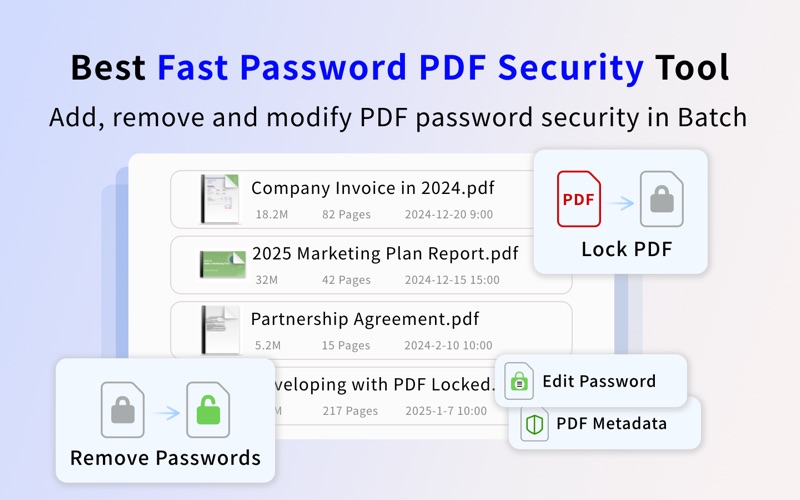
Fast Batch PDF Encrypt Protector is an easy to use PDF encryptor tool with which you can set a password and encrypt your PDF documents in batch to protect acrobat PDFs from unauthorized opening and editing of the PDF file contents. You can set the document owner and open password to reduce the risk of distributing confidential and sensitive information. It allows you to modify PDF security password and permissions by providing the password.You can also edit PDF metadata and security properties including PDF author, subject, title and keywords.
Besides, the PDF Encryption utility supports PDF unlocker and PDF security remover, so you can use PDF password remover to decrypt PDF protections and remove restrictions on PDF printing and contents copying.
Foxit PDF Protector uses standard PDF functions, so it works well on other PDF reader and PDF editor applications, such as Adobe Acrobat Reader, Foxit PDF Editor.
• Batch Processor: easy steps to lock, remove or modify password security and metadata for hundreds of PDF documents at lightning fast speed
PDF Security Pro Edition Tools
• Edit PDF Encrypt Password, Encrypt and protect PDF Files, Secure PDF Encrypt
• Encrypt PDF documents with Adobe Standard 40-bit Encryption and Adobe Advanced 128-bit Encryption
• Set password protect PDF documents from unauthorized operations
• Prevent printing of the document
• Prevent copying texts, images and other contents of the document
• Set PDF security properties metadata to protect file copyright, such as title, subject, author and keywords
• Modify and edit permissions and password on protected PDF documents
• SecurePDF Lock : Set Password to PDF, Edit PDF Password Security
• Lock PDF Pro - Lock and unlock, Protect files and documents, Password protect or unlock your PDFs
• Lock PDF & Unlock PDF Offline, Add & Remove Password From PDF
• Lock PDF password, PDF Secure : PDF set password Passkeys - Safe
• PDF Secure, Protect PDF set password
• lock pdf | unlock pdf expert add, remove password from pdf
• 100% locally process PDF encryption
Powerful Unlock PDF Protector Password Remover
• PDF password remover helps to remove open password and decrypt PDF protections when you enter the correct password on protected documents
• Support to remove password protection for a single file or a batch of PDF files
• PDF Unlocker - Password Remover, Cracker, Decryption tool & secure tool, PDF Decryption, manage password,
• Open password-protected or encryption PDF file in a few taps
• Export & share unlocked PDF document
• Omni PDF Unlocker - Password, Remove PDF password easily
PDF Protector Standard Password
• Since PDF Protector uses standard PDF functions, it works perfectly with other PDF applications. If you have to to encrypt or decrypt a lot of documents with the same password, you can set a default password to be used by PDF Protector
• Possibility to remember and use a standard password
PDF Metadata Editor
• PDF Attribute Editor: Add, Modify, Remove or Edit PDF Title, PDF Author, PDF Subject, PDF Creator and PDF Keywords in batches
• Support batch mode
• Standalone application-it doesn’t need Adobe Acrobat or other software to Edit PDF attributes
Incredibly Easy-to-use
• Easy to use file encryption app made exclusively for macOS
• Encrypt or decrypt the selected PDF documents or all PDF documents in the list
More
• Permanent License, One-time Purchase
• Upgrade once, and enjoy all features
• 100% Free updates
• Quickly technical and customer support response
Note: You can edit PDFs 1 time/day in the free version. If you want to access all features, you need to upgrade to the pro version.
Free offer to students, teachers and open-source maintainers.
If you want to thank our tireless team, please write a review or recommend PDF Encrypt Protector to your friends
We are continuously developing this app, please feel free to contact us at [email protected] with any suggestions, ideas, questions or problems. We will reply shortly.