
iPhone Screenshots

Description
DevHelper – The All-in-One Utility App for Developers
DevHelper is your go-to productivity companion, built to simplify your workflow and supercharge your development experience. From code formatting to visualizing workflows, managing notes, and automating tasks, DevHelper packs powerful tools into a single, sleek desktop app.
Key Features
1. Smart & Dynamic Menu Bar Shortcuts
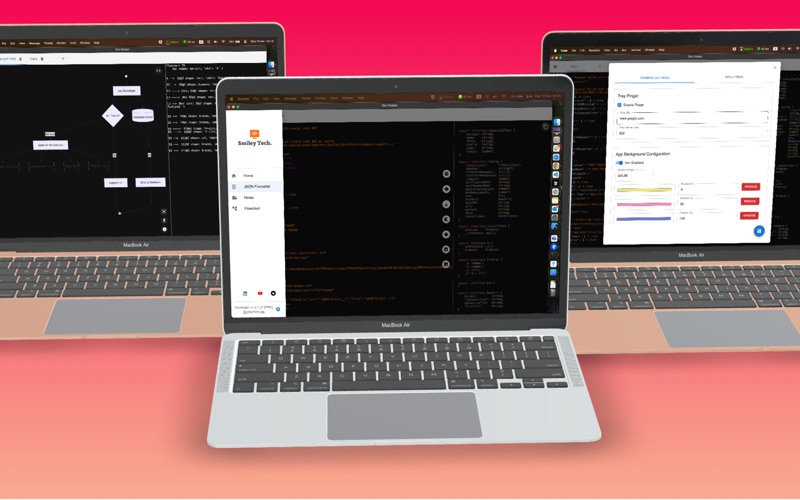
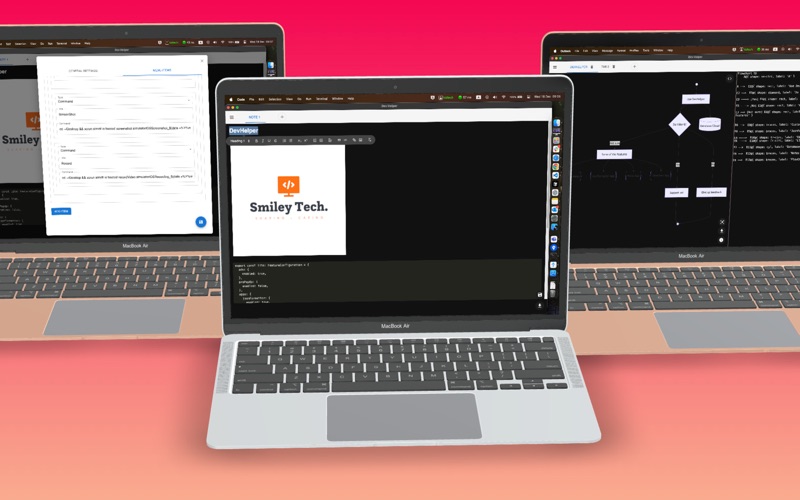
Configure your macOS menu bar to:
• Open frequently used URLs (Jira boards, ERP systems, documentation links).
• Execute shell commands to automate tasks: launch projects, build apps, or run scripts.
• Customize nested menus for deeper organization and limitless flexibility.
2. Server Pinger & Connectivity Monitor
• Monitor app and server uptime effortlessly.
• Keep track of your internet connection status with a simple, real-time indicator.
3. Powerful Built-In Tools for Developers
Streamline your workflow with essential tools:
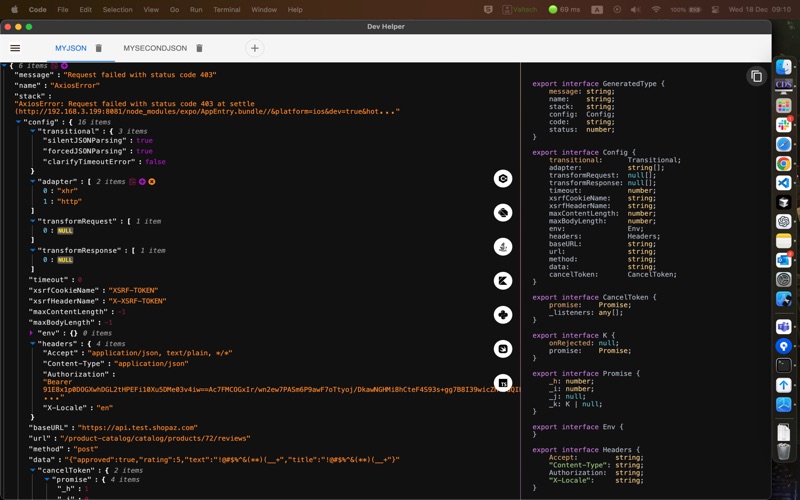
• JSON Formatter
• Format, edit, and validate JSON with ease.
• Generate code snippets for popular languages: C#, Dart, Java, Kotlin, Python, Swift, and TypeScript.
• Use tabs to manage multiple JSON files effortlessly.
• Notes
• Write, organize, and format notes using the feature-rich WYSIWYG editor.
• Add code snippets, images, and downloadable PDFs for documentation on the go.
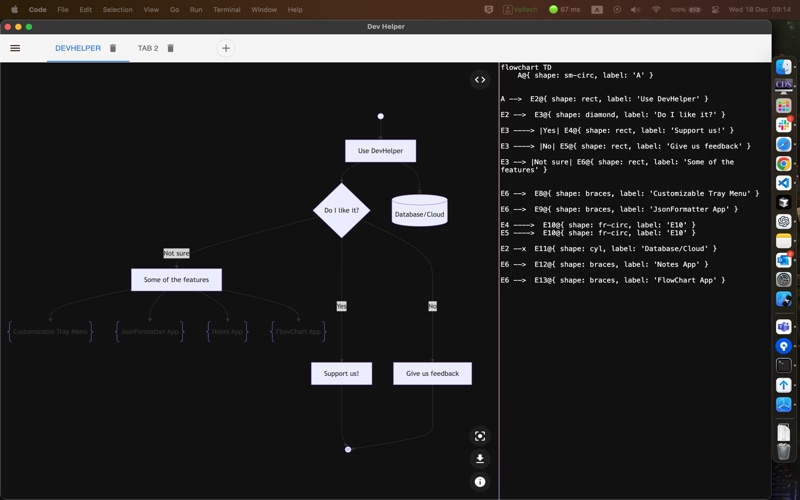
• Flowchart Creator
• Visualize algorithms and workflows before coding.
• Build flowcharts with intuitive tools and elements (nodes, databases, junctions, start/end points, comments).
• Export your diagrams to PNG format for easy sharing.
4. Tab-Based Interface for Multitasking
• Stay organized by working on multiple tasks simultaneously.
• Switch seamlessly between tabs in all built-in tools.
5. Local-First Data Storage
• Your data is securely stored locally on your device—no cloud, no compromise on privacy.
• All data remains accessible even when offline.
Why Choose DevHelper?
• Versatility: Whether you’re a developer, designer, or project manager, DevHelper adapts to your needs.
• Customization: Tailor the app to your workflow with dynamic menus and flexible tools.
• Privacy First: Your data never leaves your machine—no cloud storage, no third-party access.
Boost Your Workflow Today!
Simplify tasks, visualize workflows, and stay organized—all in one place.
Download DevHelper now and take your productivity to the next level!