
The First Descendant Companion
Check game details and track progress
NEXON Korea Corporation
iPhone Screenshots



Description
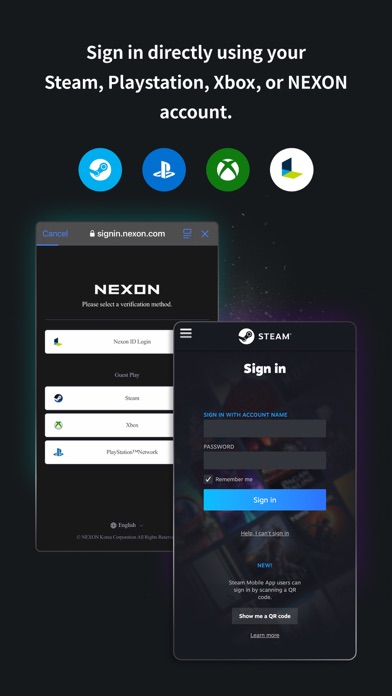
Access game information instantly with real-time updates on Descendants and equipped items. Track research progress and view item details, acquisition paths, and announcements in one place. Sign in using Steam, PlayStation, Xbox, or NEXON accounts.
With The First Descendant Companion, you can access all your game information anytime, anywhere at a glance.
# Real-time Game Info at Your Fingertips
• Sign in easily with your Steam, PlayStation, Xbox, or NEXON account
• Instantly check your Descendants and equipped item details
• Track the real-time progress of items under research
# The Ultimate Guide to The First Descendant
• View all item info and acquisition paths in one place
• Get notified of real-time updates and announcements
• Participate in web events conveniently from your mobile device
Power up your journey now with The First Descendant Companion!
=================================================
[Official Channels]
Official Website: https://tfd.nexon.com/en/main
Discord: https://discord.gg/thefirstdescendant
X: https://x.com/FirstDescendant
YouTube: https://www.youtube.com/@FirstDescendant
[Recommended Specifications]
For the best experience, we recommend using OS version 15 or higher.
[Customer Support]
Having trouble using the app?
Go to “More > App Info > Customer Support” in the app or contact us through the link below.
https://global.support.tfd.nexon.com/
Thank you for using our app!
Terms of Use: https://m.nexon.com/terms/304
Privacy Policy: https://m.nexon.com/terms/955
■ App Permission Information
In order to provide services below, we are requesting certain permissions.
[Optional Permission]
Camera: To capture photos or record videos for attaching and submitting to Customer Support or other relevant entities
Photos: To save and upload photos and videos
※ Granting or denying Optional Permissions does not affect app usage.
[Permission Management]
▶Go to Settings > Privacy, select a permission and toggle the button next to the app's name.